
Timeline
Tools
Role
Overview
Sponsored by
8 weeks
Figma
Aftereffects
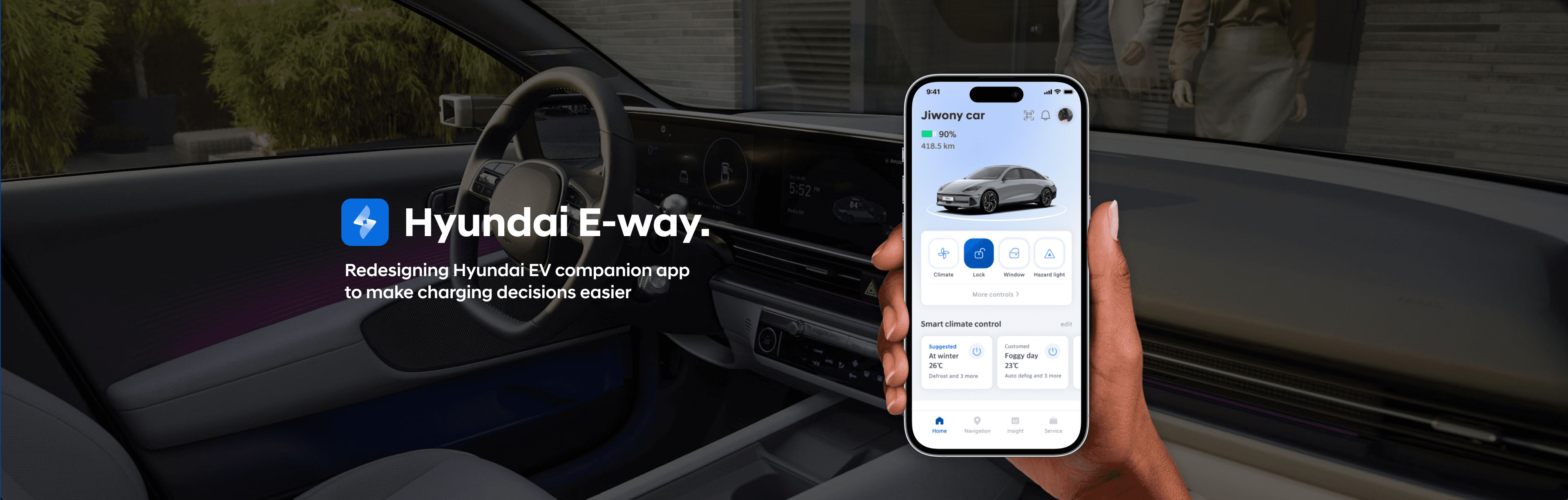
Led the end-to-end UX strategy to improve the EV charging journey, translating complex vehicle and charging data into intuitive insights for EV drivers, enabling them to recognize charging needs, plan routes, and make informed charging decisions.
Redesigning Hyundai EV App to Make Charging Decisions Easier
Product design, User research, User testing, Prototyping
Team
1 Product designer
2 Product managers
1 Project manager
Hyundai’s vision by 2026:
Convergence into
Software-Defined Vehicle
Hyundai aims to evolve into a tech-driven mobility provider, ensuring adaptability to market shifts and user needs. SDV is a vehicle where software controls and enhances most of its functions, allowing for continuous updates on upgrading features, performance, and personalized driving experience.
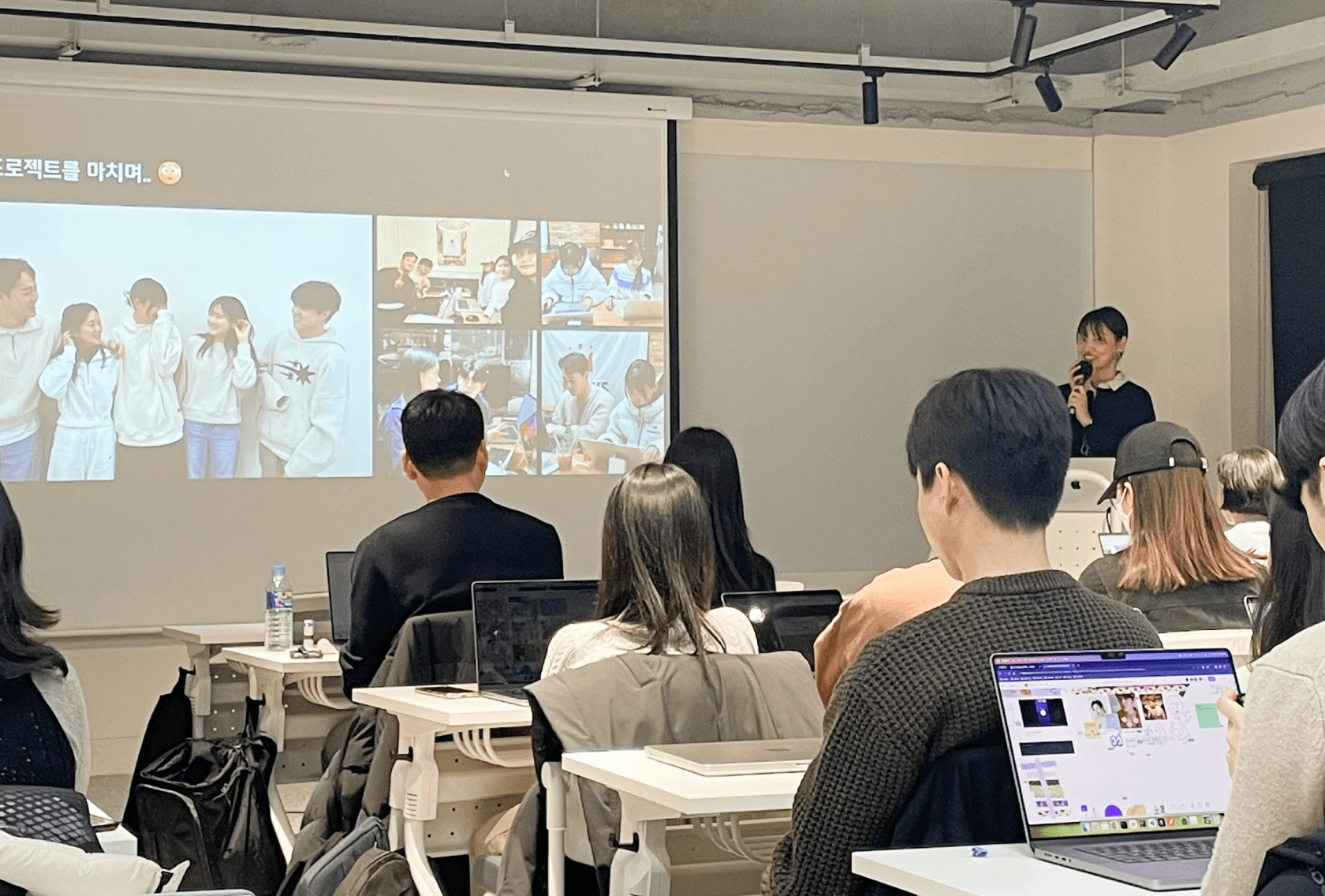
Major Achievements
· Developed an End-to-End EV app Strategy with product managers
· Presented final deliverable to 15+ Hyundai executives
· Designed and prototyped 28 app screens including different states

Design an intuitive charging decision flow to provide a convenient experience throughout the entire charging process
The challenge
The goal
How might we assist EV drivers who struggle to confidently plan and execute charging?
Existing solution
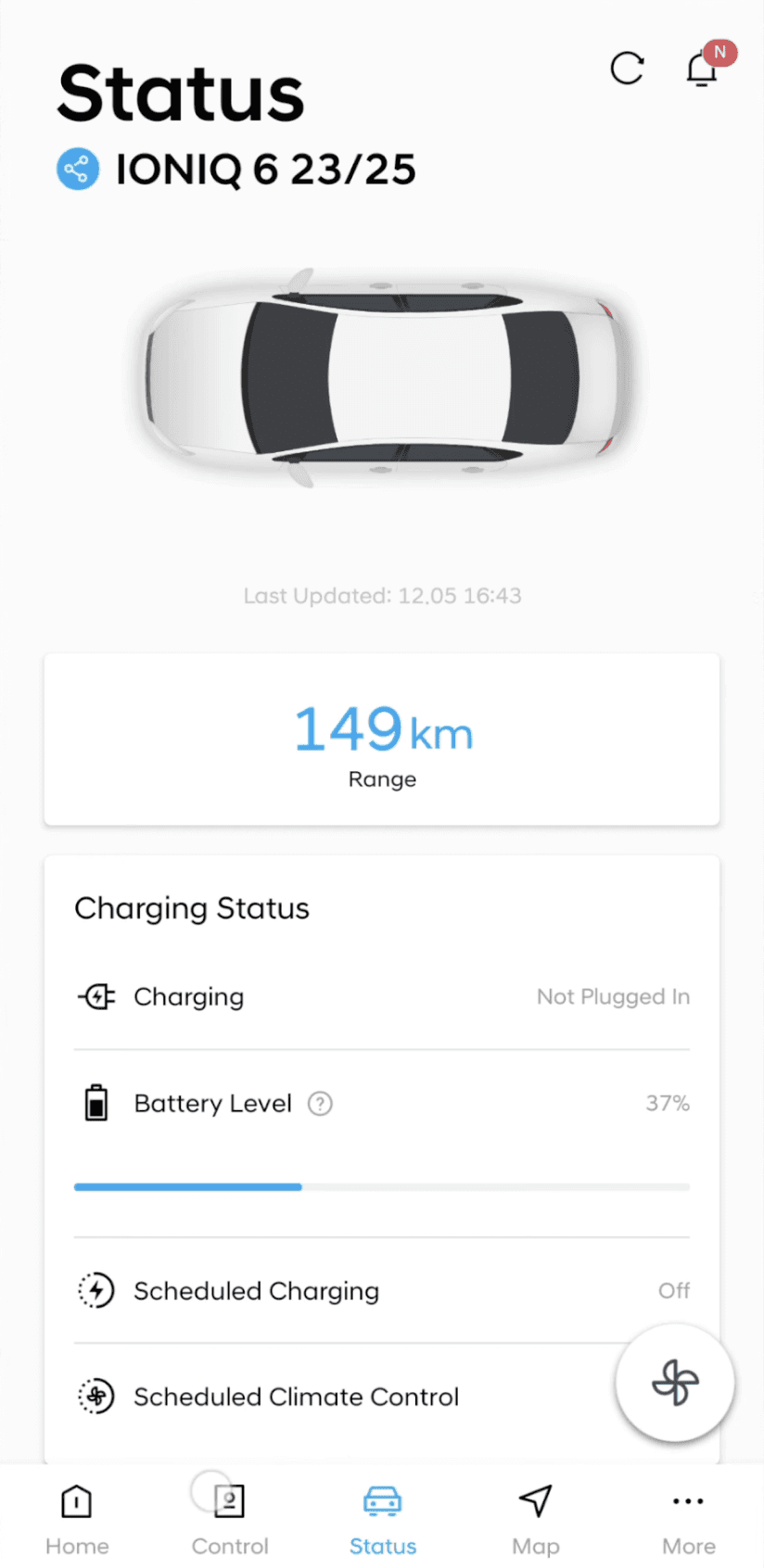
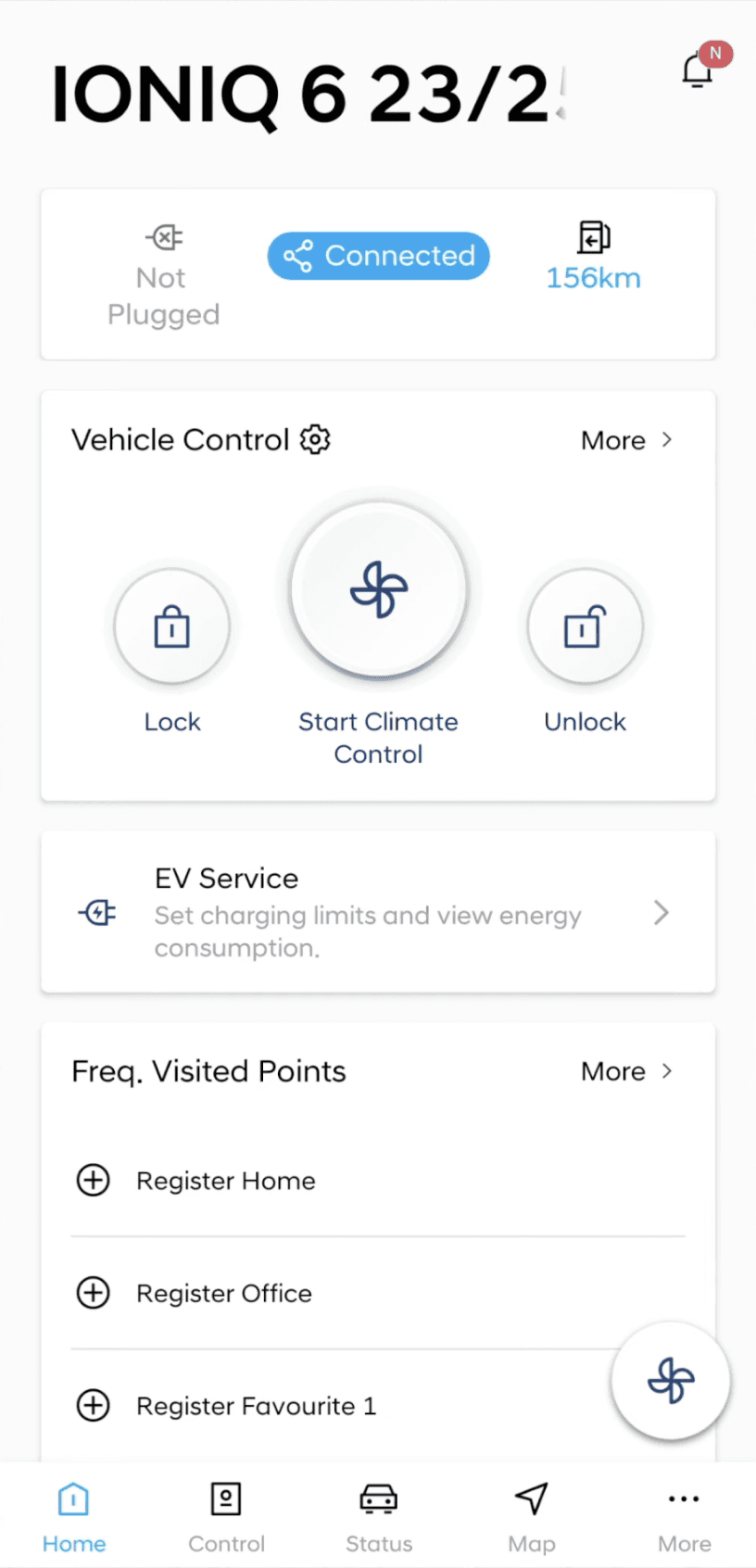
Bluelink is a subscription based plan that provides convenient control and manage feature for Hyundai drivers. Some major feedbacks from the current users were collected to suggest concrete direction for design revision.
Current user feedbacks of Bluelink


Pros
• Provides remote control options and important vehicle data.
Cons
• Seperated control and status tab cause friction.
• Less information about EV and battery.
• Lack of basis for estimated range calculation.
My Hyundai
Blue link
E-pit
HI-charger
Chaevi
EV infra
Everon
EV lounge
O
O
X
X
O
O
X
X
X
X
O
O
O
X
O
O
X
X
X
X
O
X
O
X
X
O
O
O
X
O
O
O
X
X
O
X
X
X
X
X
X
X
X
X
X
X
O
X
X
X
O
X
X
X
O
X
X
O
O
O
O
O
X
O
X
X
X
O
X
X
X
O
Battery status
Charging status
Route search
Digital wallet
Reserve charging
Search EV station
EV charger status
EV diagnosis
Community



Hyundai native app
Competitor app




Scattered functions hinders
seamless charging
Although there were multiple existing Hyundai services for EV, drivers were experiencing inconveniences due to scattered functions and unconnectivity.
Competitive analysis
Interview with 9 EV drivers
Survey 81 EV drivers
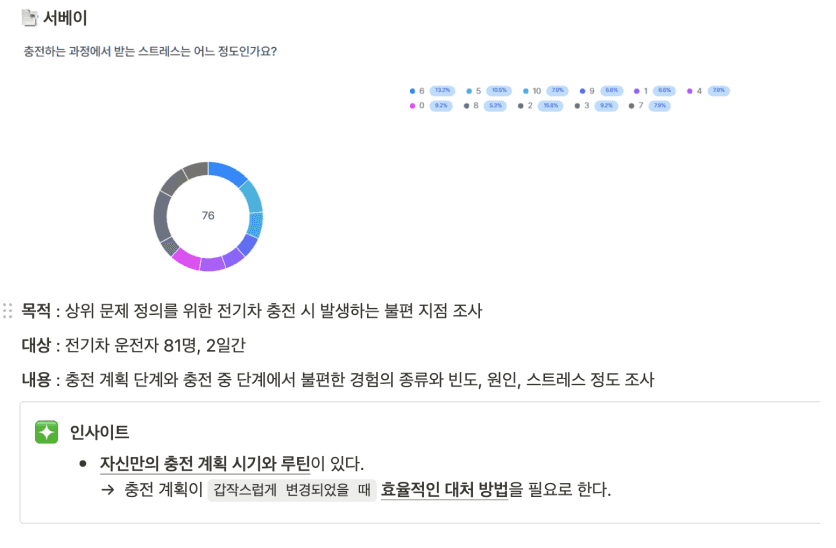
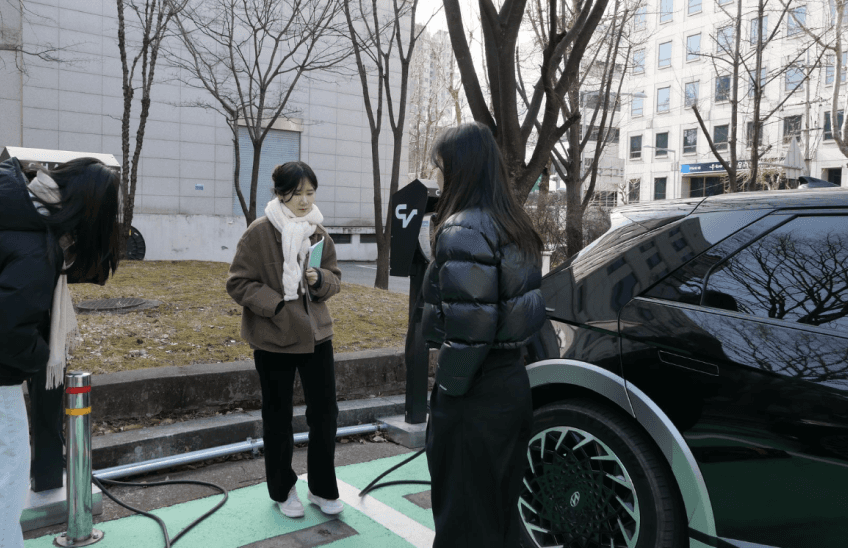
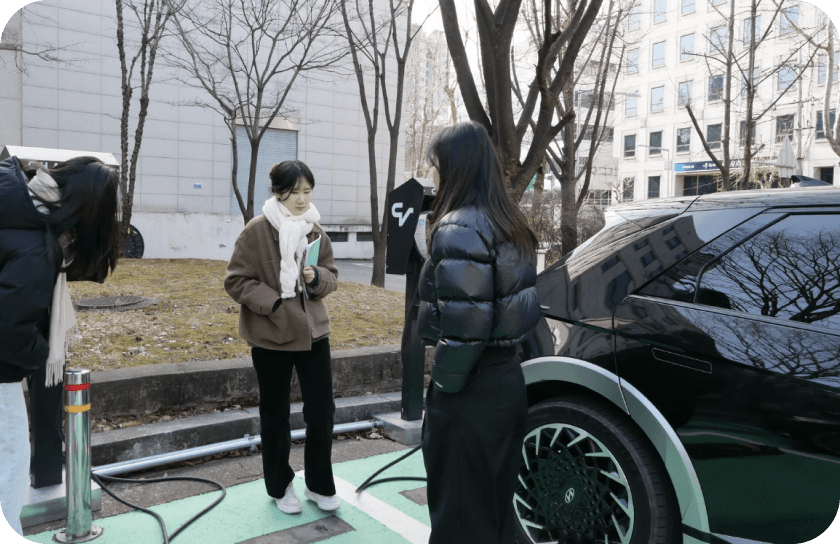
Field research
60.5%
55.1%
9/9
Experienced changing plans due to charging.
Has high level of stress due to changed charging schedule.
All interviewees adjust driving behavior or vehicle settings to save battery.
After research, charging issue was founded to be the important inconveniences.
Drivers experience inconvenience due to unplanned charging
Research
After researching users, competitors and internal solution,
three major pain points were driven out from both user and business.
Major Pain points & Insights
02
02
01
01
03
03
Undistinguished EV service brings confusion
Scattered functions increase operational costs
Too many variables make planning EV charging difficult
Limited channels for collecting user data
Low accessibility to EV related functions and information
Weak integration between vehicle data and driver behavior
User’s perspective
Business’s perspective
How might we develop EV-centered service to provide a convenient experience throughout the entire charging process?

Problem
Business goals
Leveraging platforms like the app, infotainment, and vehicle, collecting driver data and using it to deliver personalized user actions can serve as a key product strategy.
Product Strategy : Foster driver data collection & utilization
Provide personalized recommendations
Improve charging experience
Promote internal EV services
Increase user retention & engagement
Boost conversion rates & revenue
Drive adoption & expand market share
Product strategy
Expose
additional
EV service
Personalized
recommendation
Improve
charging experience
Vehicle
(hardware)
App
Infotainment
Due to the limited amount of time, design scope for the app was set to two major tabs that best indicate product vision and solution.
Setting Minimum Viable Product
Home
App
Navigation
Insight
My page
Vehicle status summary
Search
Driving data
Vehicle info
Vehicle control
Filter
Recent driving report
Payment setting
Smart Automotive Climate Control
Map
Map
Favorites
Notification setting
Personalized battery solution
Charging station list
Vehicle management insight
Account information
QR payment
Notification
My page
MVP
Scoping
Design an intuitive charging decision flow to provide a convenient experience throughout the entire charging process
Solution 1
Solution 2
Solution 3
Battery prediction visualization
Recommends chargers within route
Personalized charging suggestions
Project goal
By mapping out user behaviors and data integration at each phase,
the connection points between hardware and software was defined in context.
User journey
•View and send the suggested charging station to car
•Control and check vehicle status
•Send destination to infotainment
•Get notifications for battery
•Check driving data history
•Check charging status
•Get suggestions for battery care
Backstage
Analyze real-time vehicle data
Collect driver data
Process data and provide insights
Medium
App
App, Infotainment
App
Action
Before driving
While driving
After driving
Ideation
I’ve identified key KPIs I would analyze post-launch if I had access to actual driver data and internal analytics with product manager in our team to measure its effectiveness.
Increased Frequency of
Battery related feature interactions
Increased Adoption rate of Recommendations
Reduction of
Average planning time
Success metrics
Measuring success
Design principles
Design strategy
Estimated battery level below 20% upon arrival. Suggesting route with charging stops.
Current battery level is below 30%. Suggesting route with charging stops.
Minimize decision fatigue
Clearly present rationale for proposals
to facilitate quick decision-making.
Battery Level Critically Low
Find nearby charging stations
10%
46.65 km
68%
316.65 km
Rapid charging
68%
12 min remaining
Charge limit: 80%
Stop charging
Unlock charge port


Maximize information accessibility
Provide clear information hierarchy,
affordance, and visual feedbacks.
Clear Data Visualization to Assist Decision Making
Enhancing Discoverability and
Navigating Next Action
Faster Discovery of
Charging Station Information
When the battery is expected to be lower than 20% upon destination arrival, E-way recommends the optimal route including charging station. By indicating the point where the battery is low, the service guides users to use a route that includes a charging station stop.
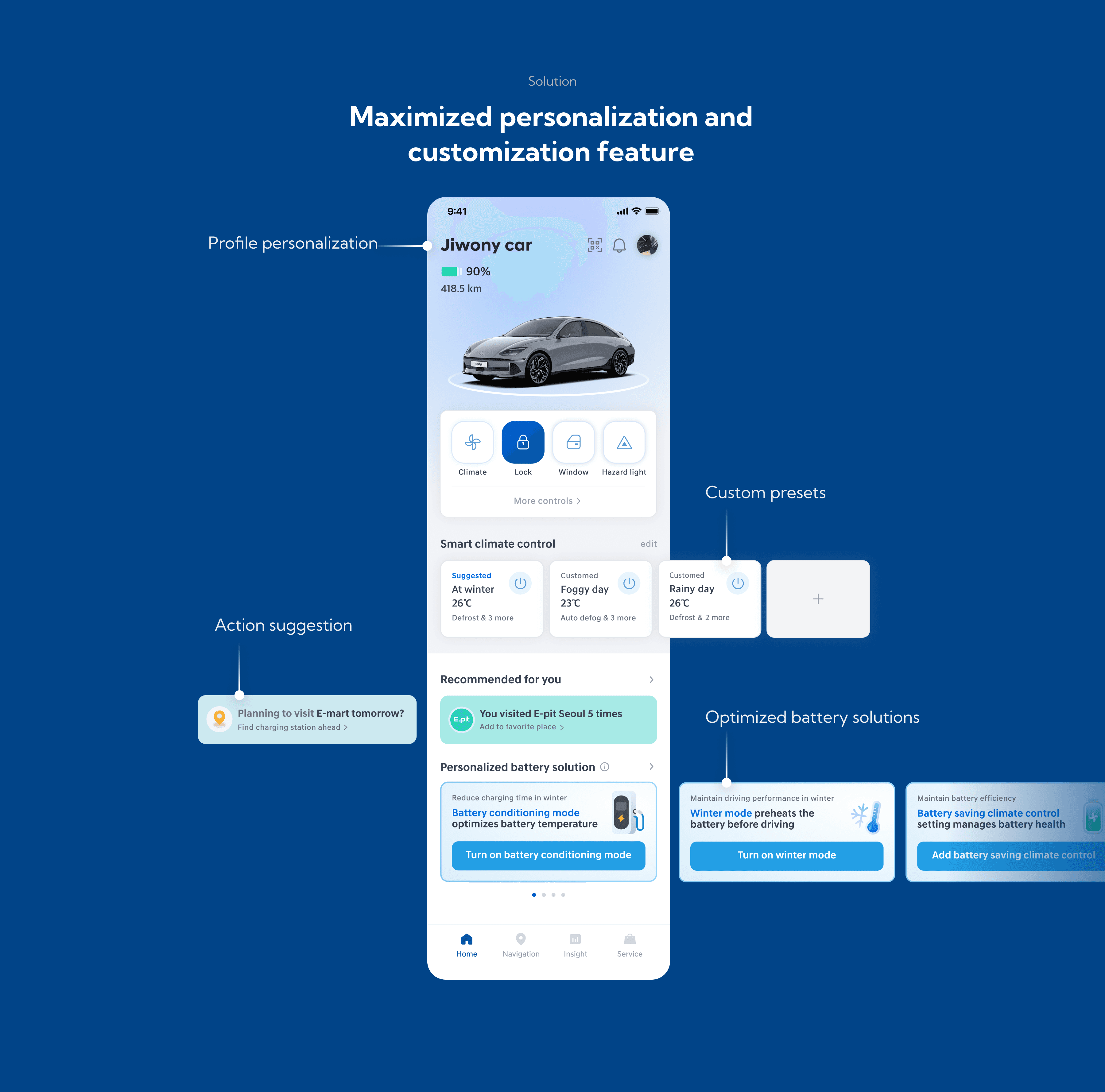
E-way provides personalized, data-driven smart suggestions and battery solutions that optimize efficiency based on the user’s driving patterns.
When deciding where to charge, the app provides detailed charging station information to help drivers choose the appropriate option. Charging port availability are highlighted foremost, helping users make their plans faster.
Recognizing charging need
Navigate to charger
After driving
Decide where to charge
Intuitive Vehicle Status Display and Feedback
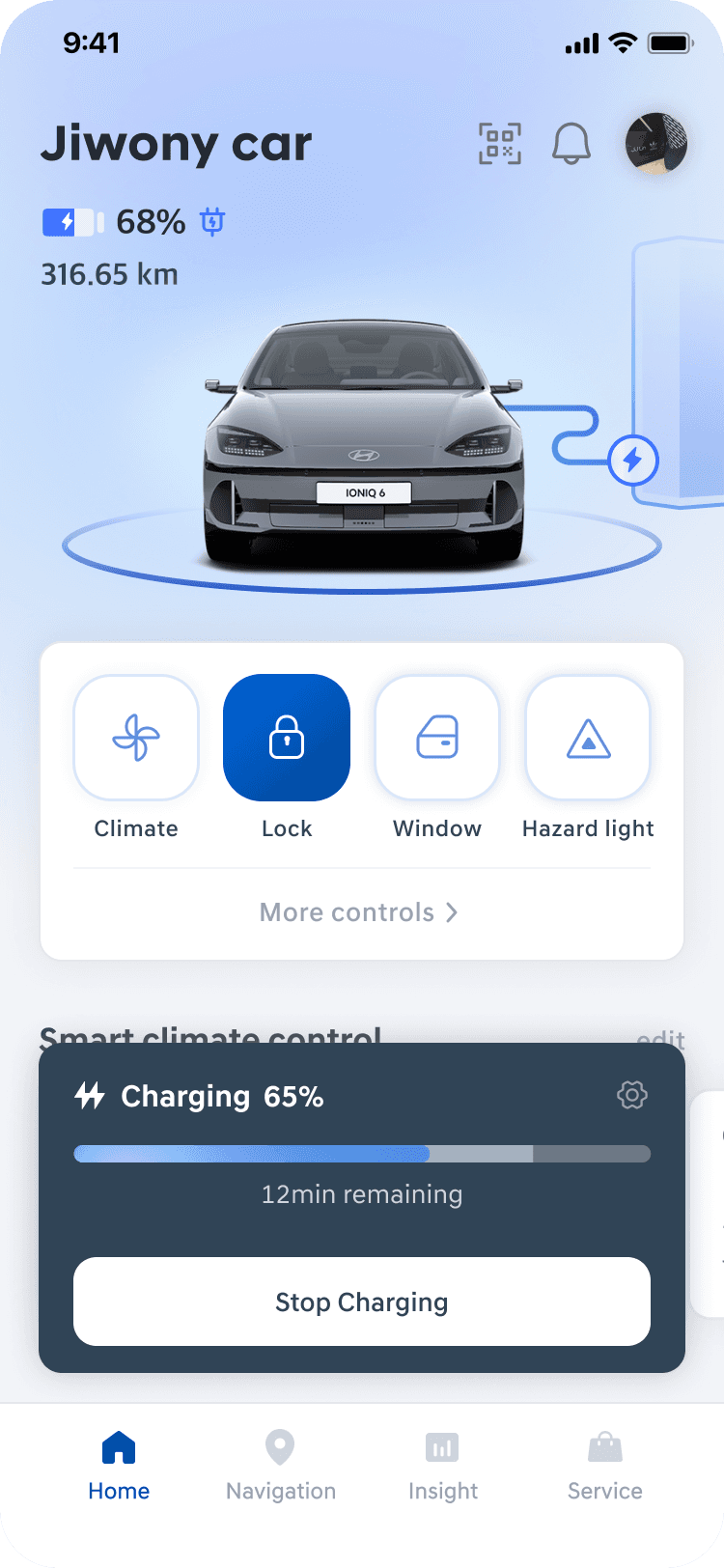
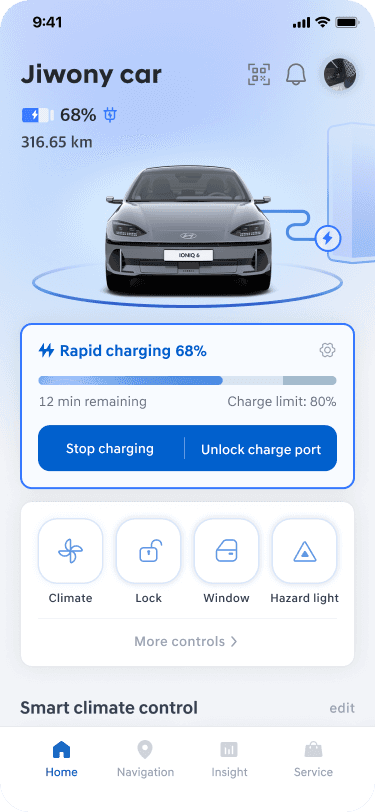
The home screen enhances accessibility of vehicle status information and controls by using intuitive visual graphics and animation. When charging, progress bar block is presented with color gradient animation, giving affordance about the charging status.
Usability testing feedback
Iteration
30%
4.1/5
4.4/5
User satisfaction improvement on personalization
EV info accessibility rating
Personalization options rating
Since user data-based route recommendations could not be implemented and tested, the evaluation focused primarily on the app's usability on EV control and personalization.

I conducted usability testing with 6 EV drivers to assess whether personalized options and improved information accessibility would enhance retention and engagement.
Constraints (Testable features)
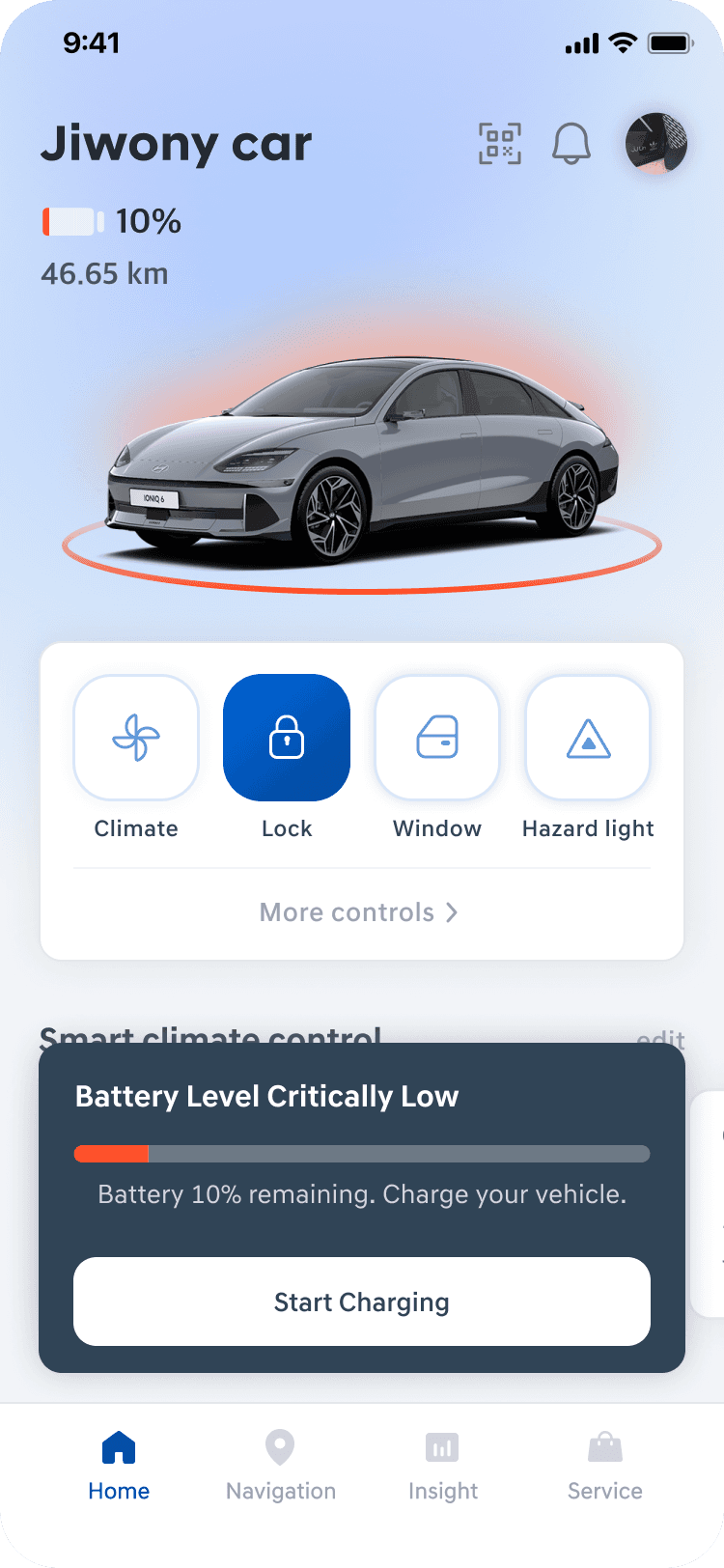
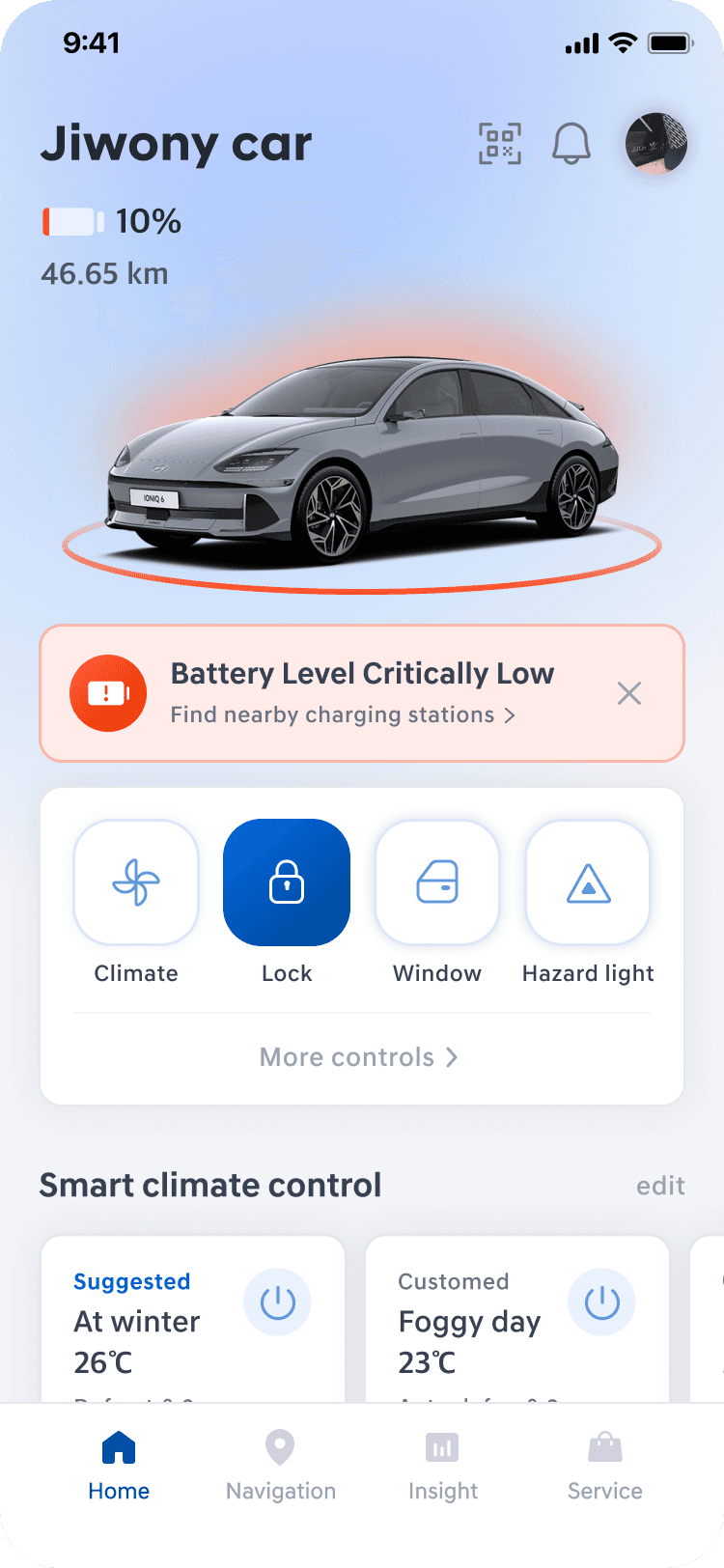
Clear Indication of Charging Demand
Design Decision 1
A
Floating Action Card
B
Inline Status Card
Blocks accessing other controls
Non-persistent information
Scalability & Focus
Requires more vertical scrolling
Contextual Recognition
Allows other functions to be used
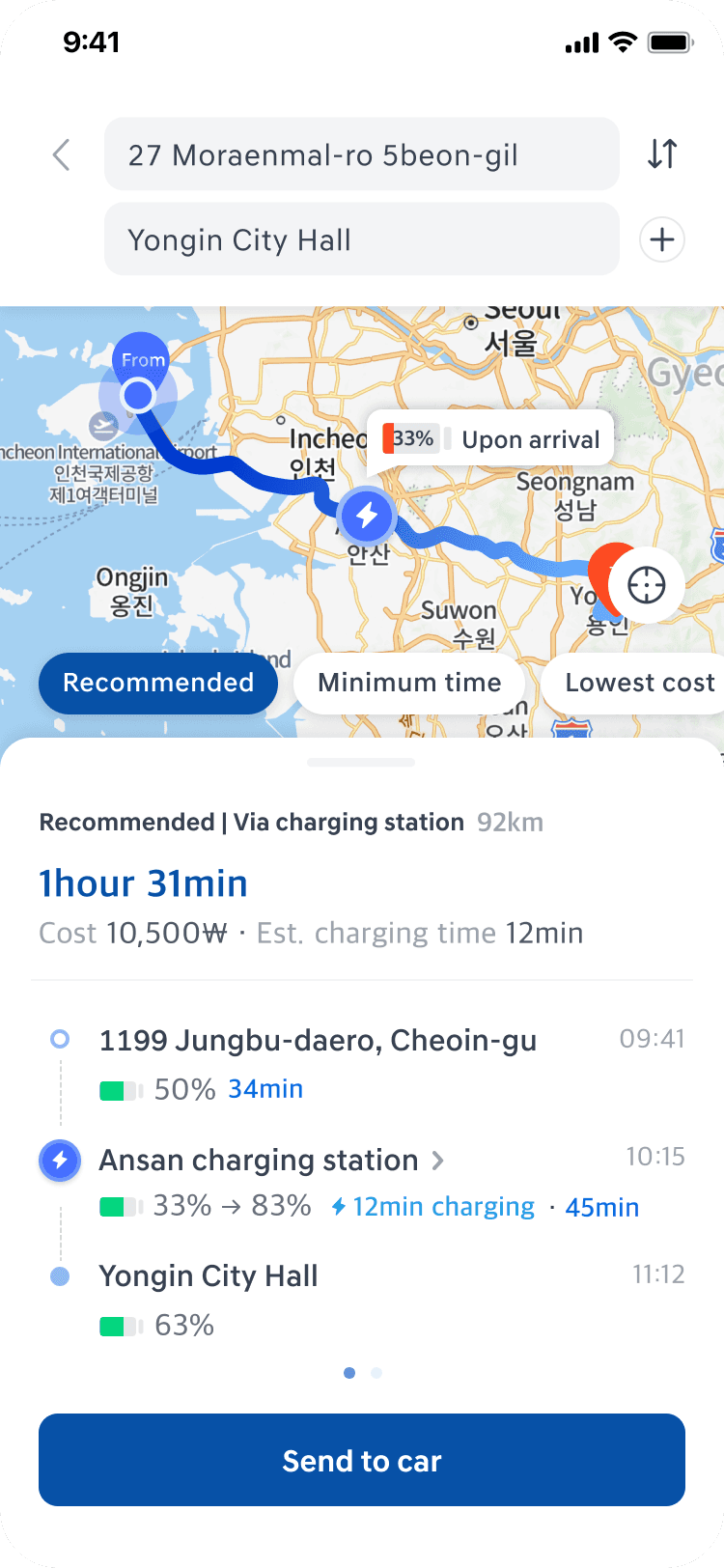
Route Recommendation with Charging Station
Design Decision 2
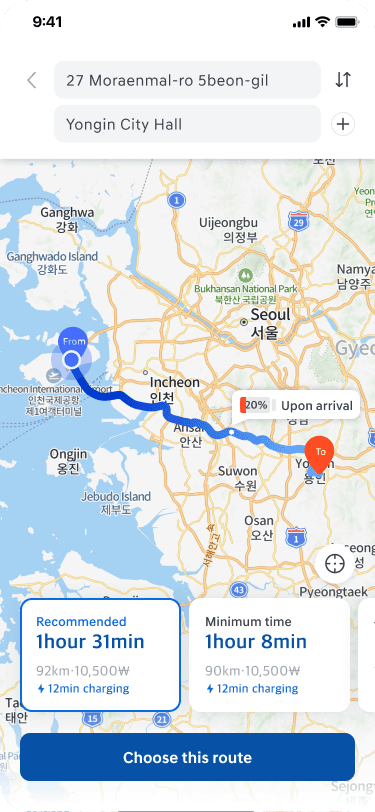
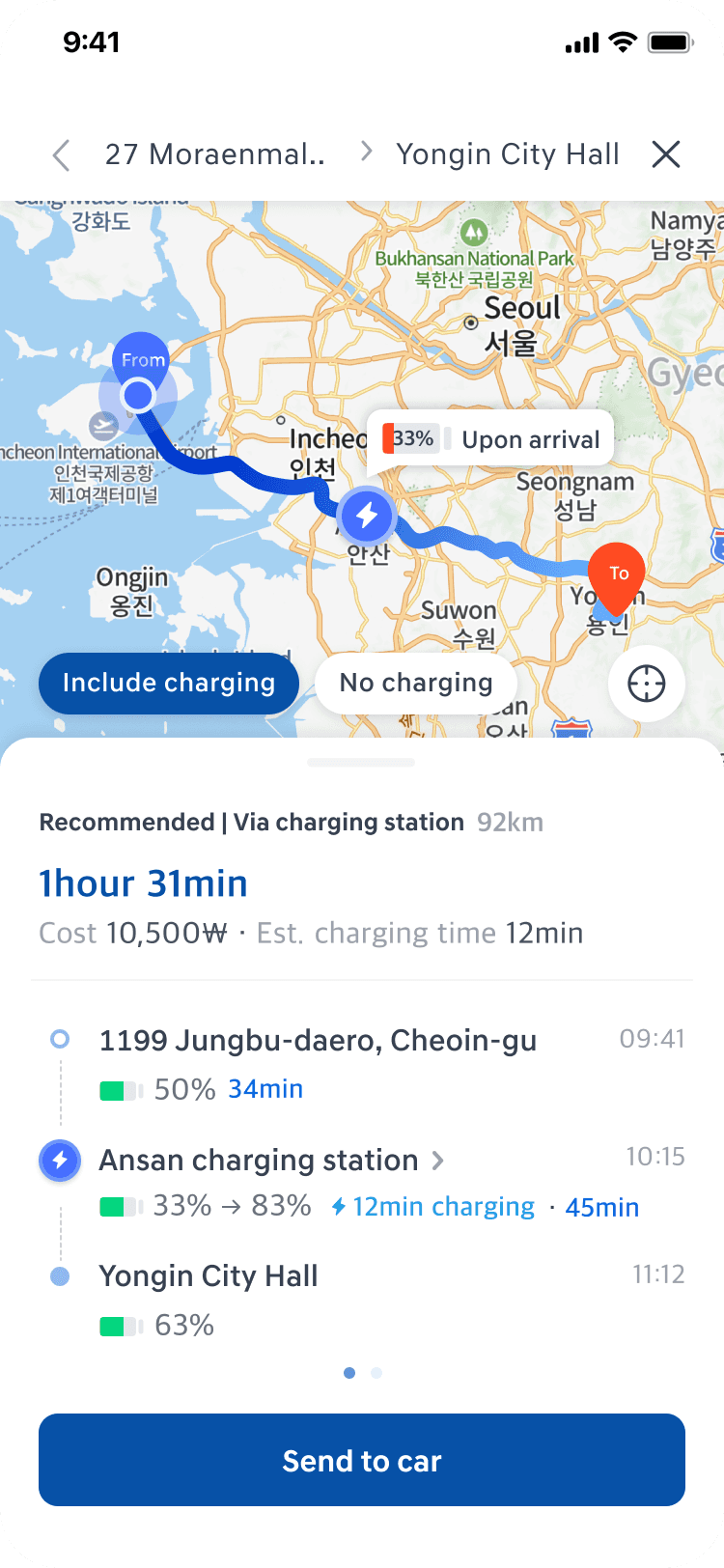
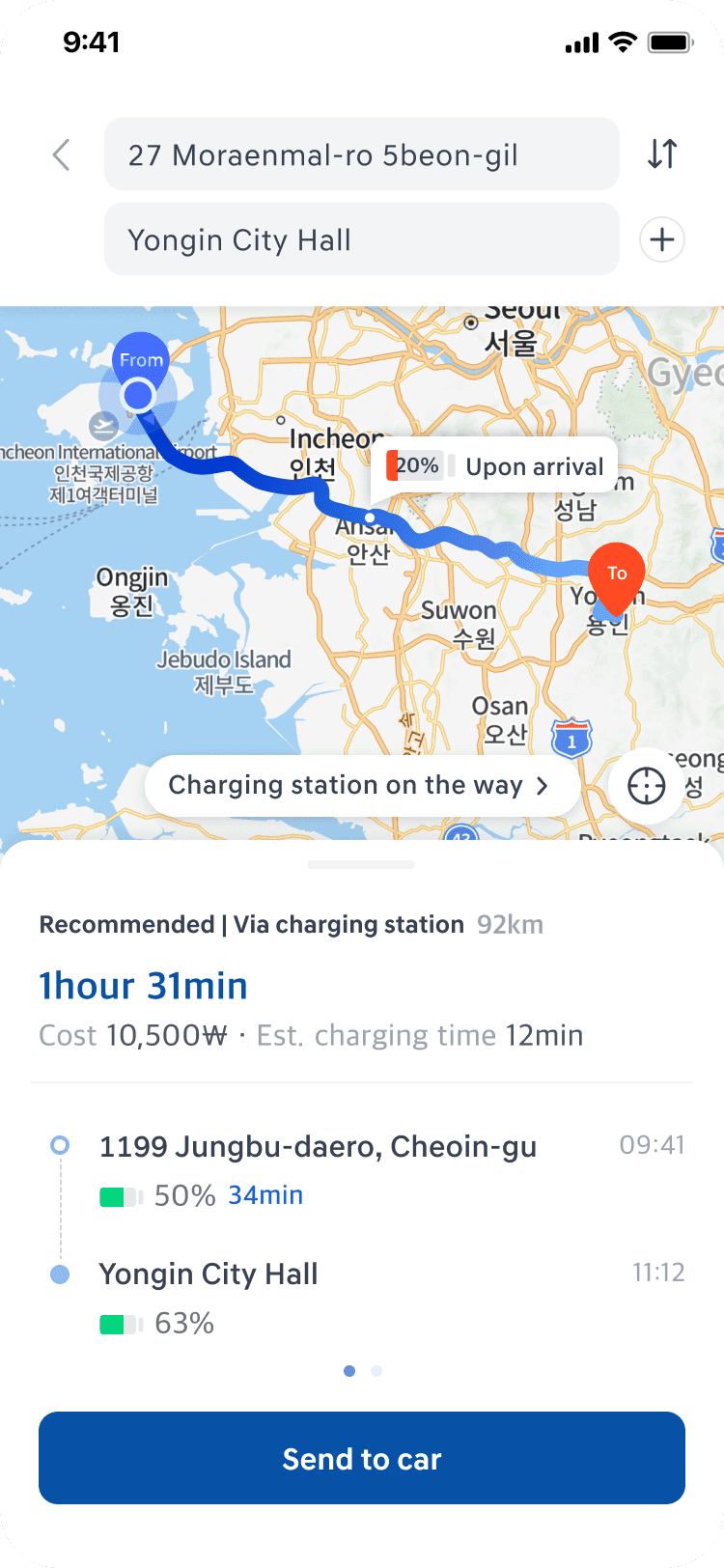
Ver. 1
Manual Discovery
Ver. 2
Integrated Flat Controls
Ver. 3
Progressive Disclosure
I replaced manual searching with a Progressive Disclosure model powered by vehicle telematics. I implemented a "Separated Depth" structure to maximize map visibility while surfacing charging data only when contextually relevant.
Clear Hierarchy for Charging Station Information
Design Decision 3
Chargers and additional info seem equal
Chargers and additional info grouped right
Ver. 1
Ver. 2
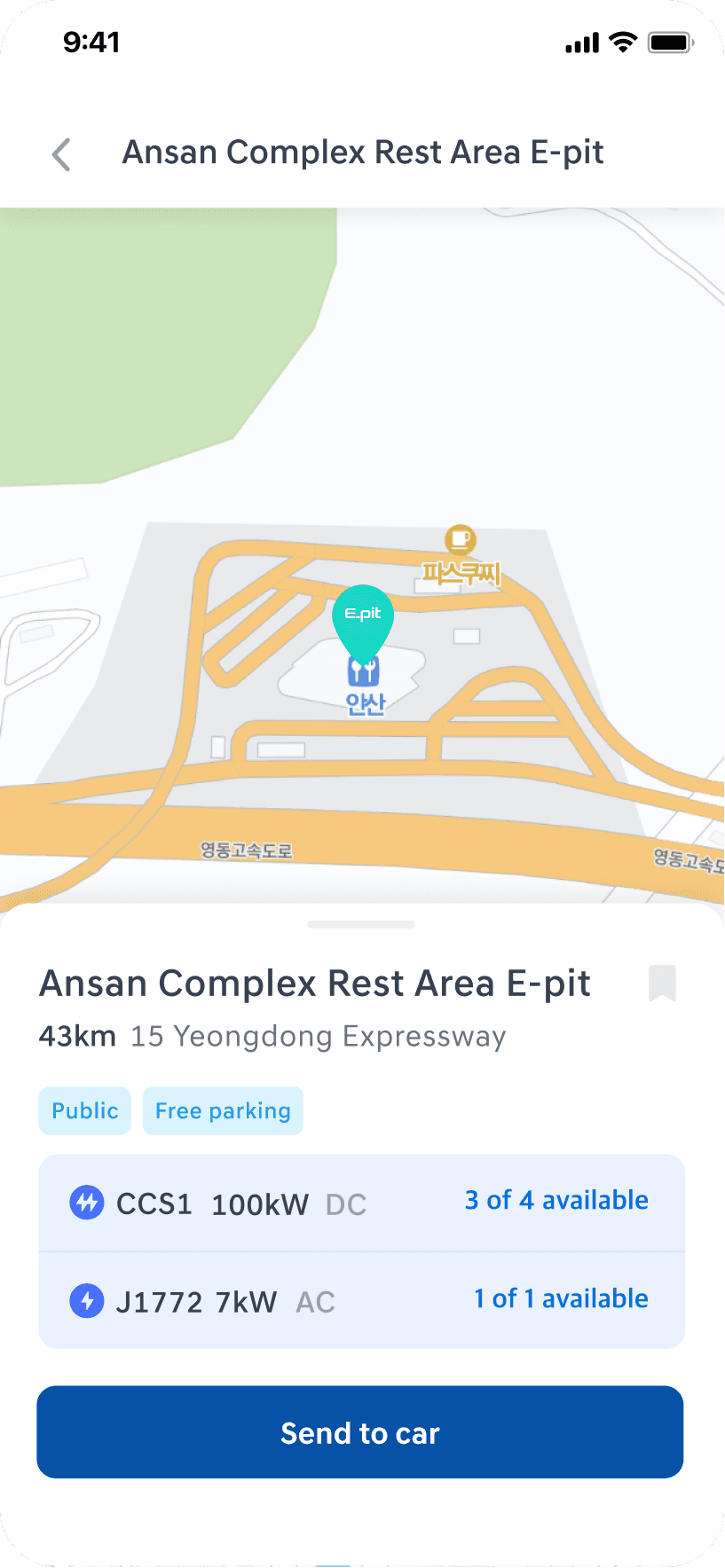
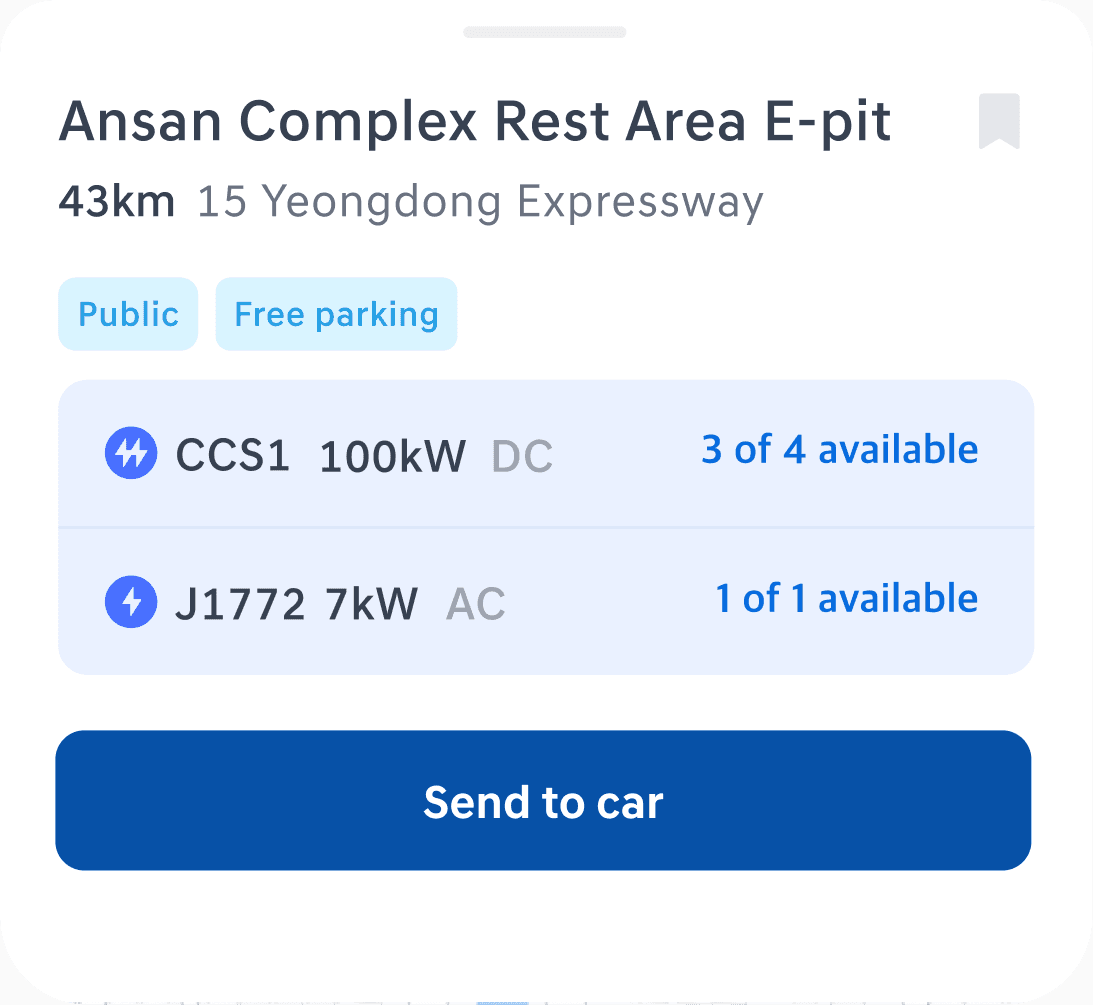
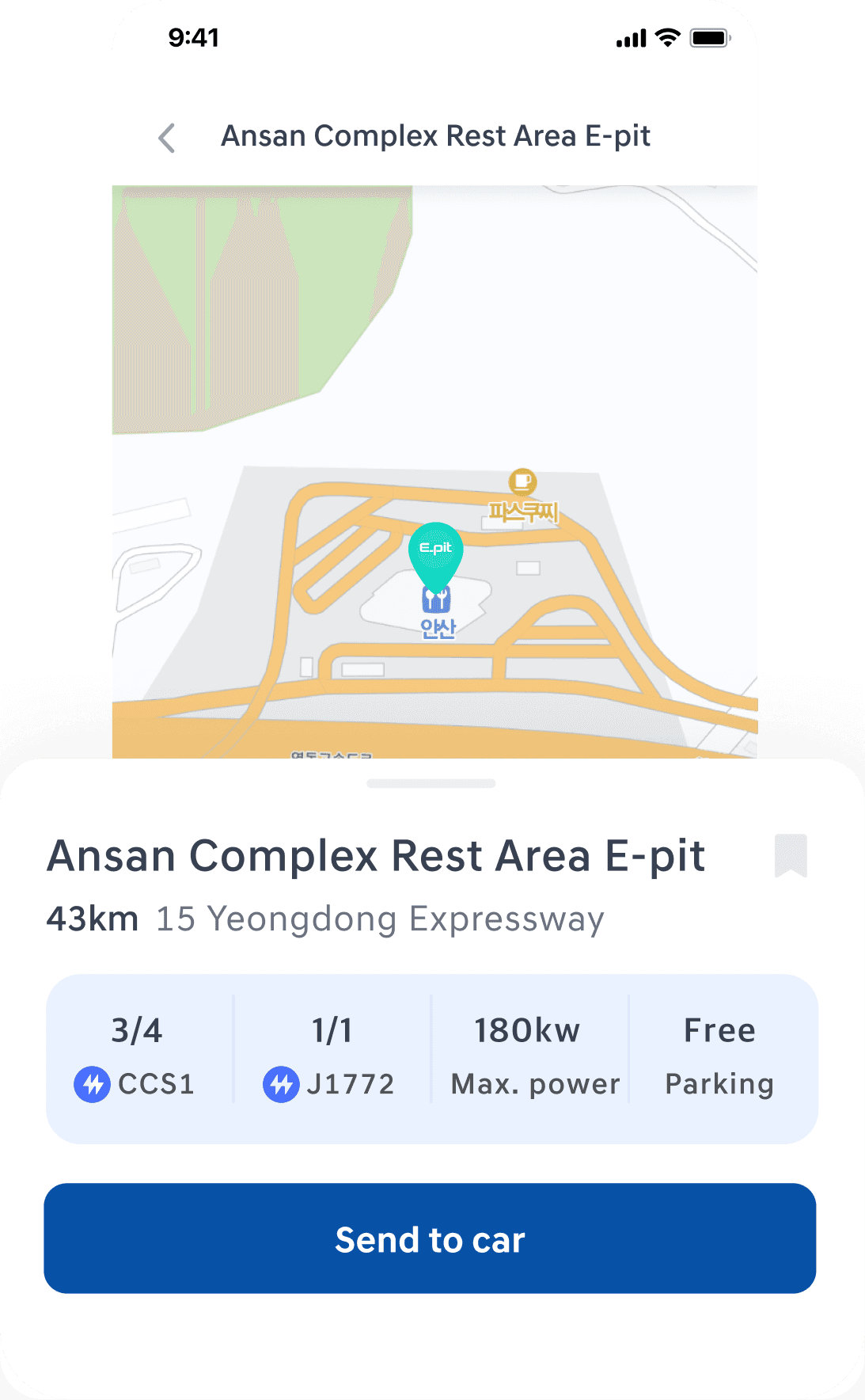
The existing app Hyundai is providing lacks detailed information about EV charging stations. So I created two versions that orders out necessary information for each charging station. Among them, option B was chosen because it has clearer hierarchy highlighting the charger type and it availability which is the most important info.
Inclusive Design for Both New & Existing EV Drivers
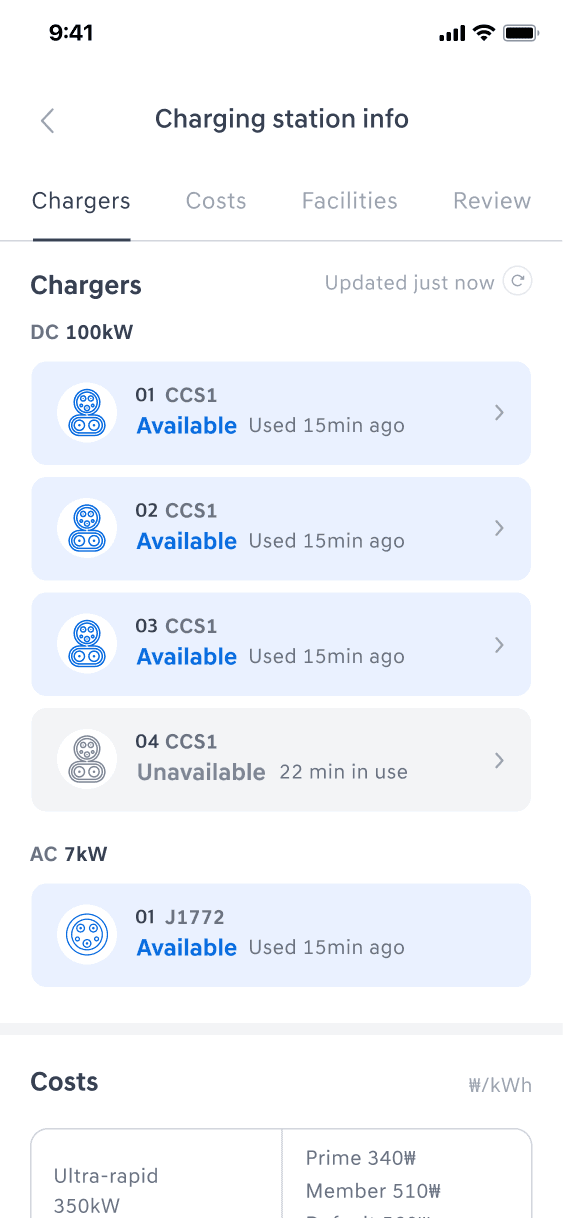
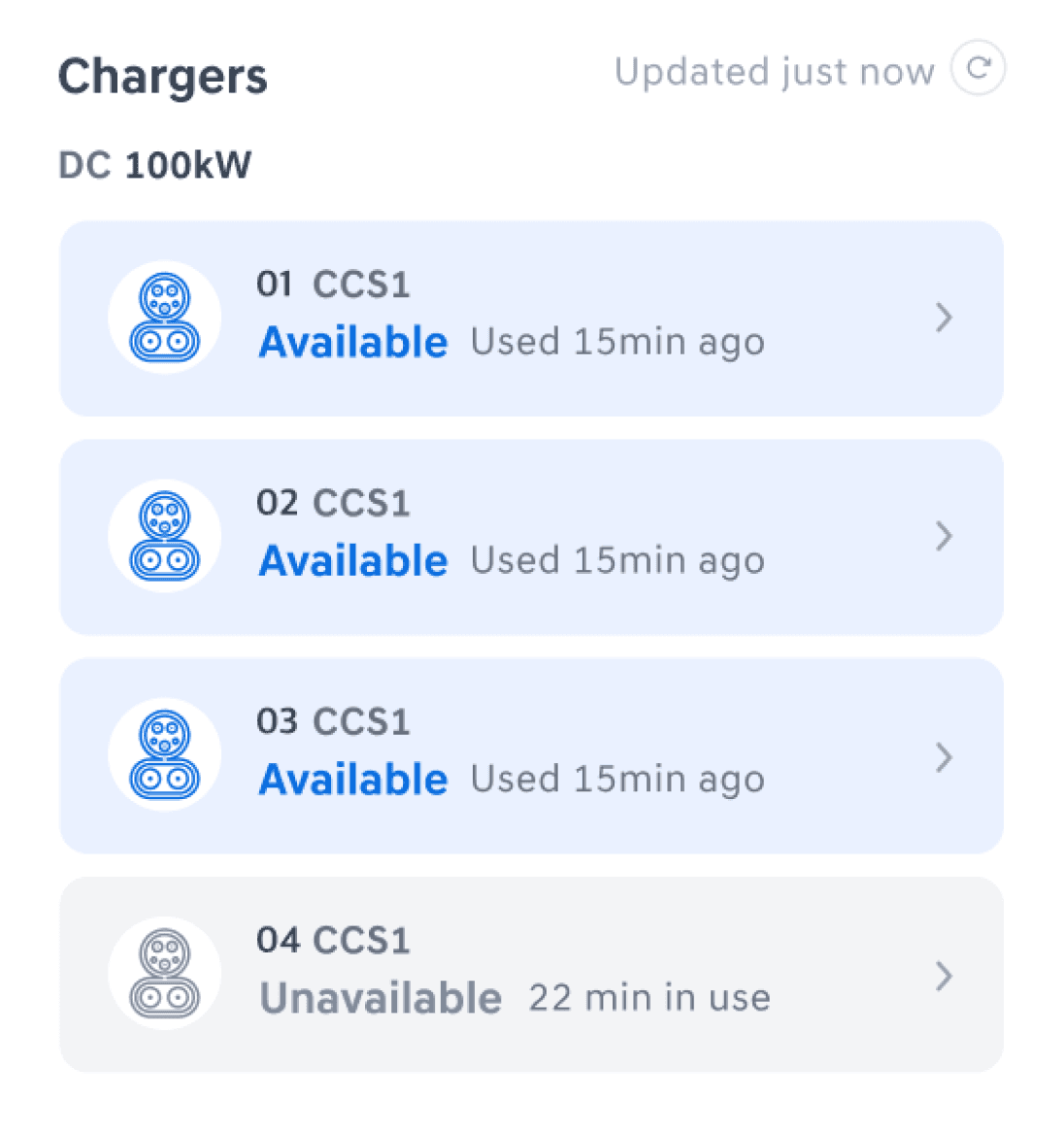
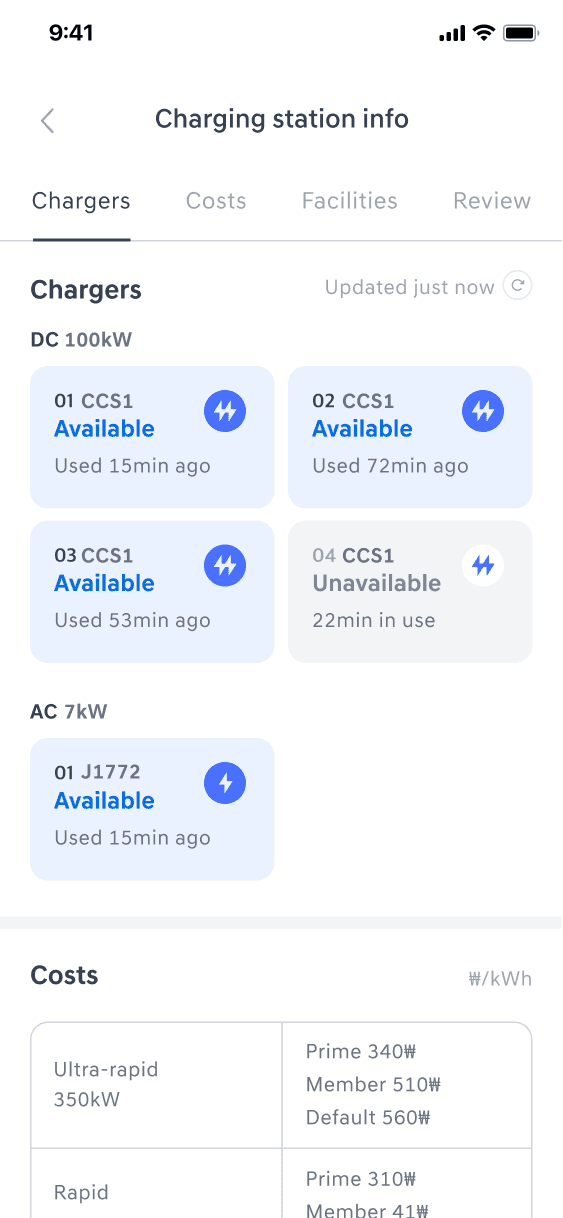
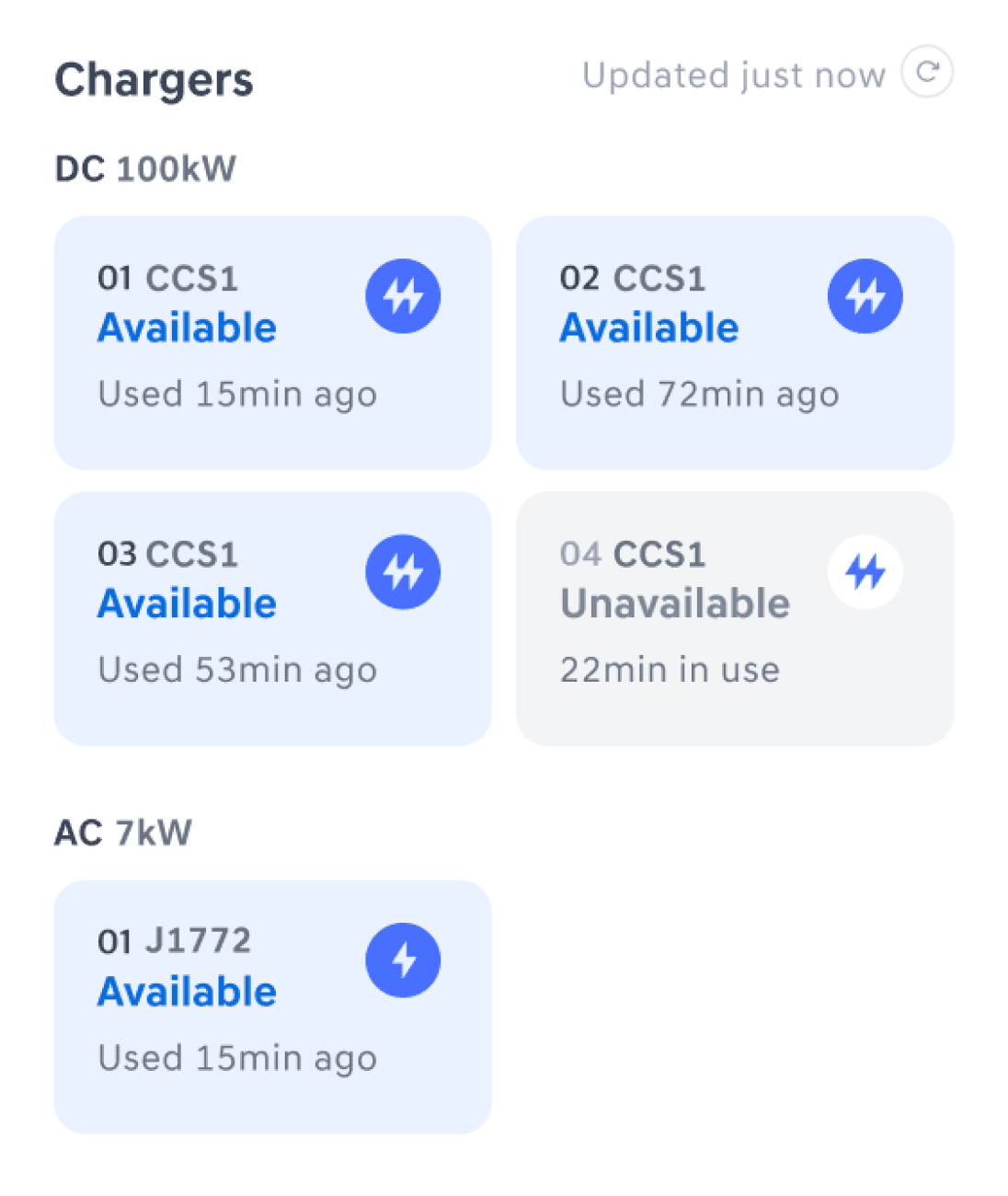
Nicely organized but no charging port image
Images help new EV drivers find their port faster and easily
Ver. 1
Ver. 2
There are many elements that indicate charging status including availability, speed type, port, etc.. Although option A and B are very similar, option B was chosen because it can be universally convenient to both new EV drivers who are not familiar with charging port type. The images will help them find charger type easily.
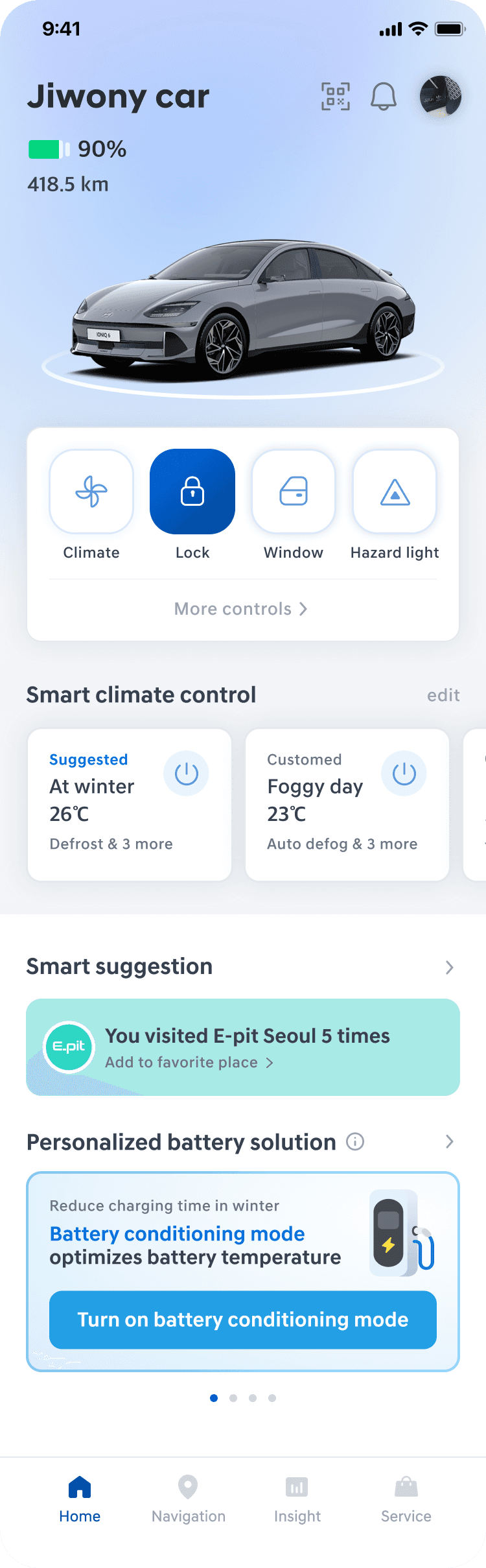
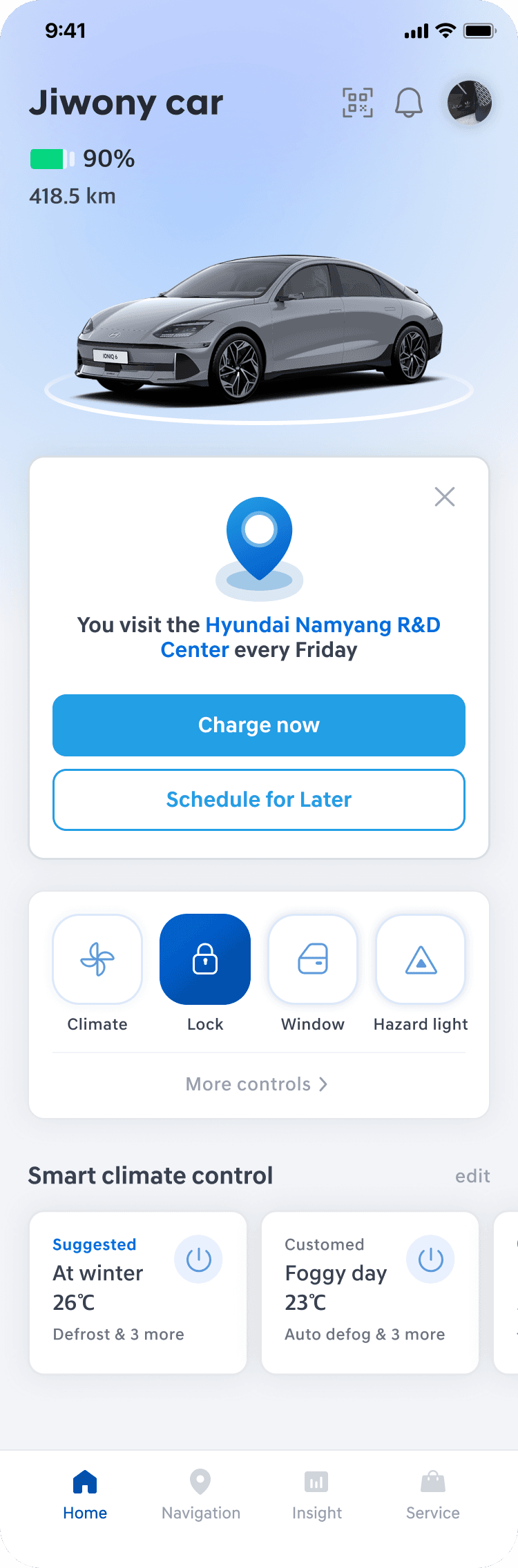
Suggesting Personalized Solutions
Design Decision 4
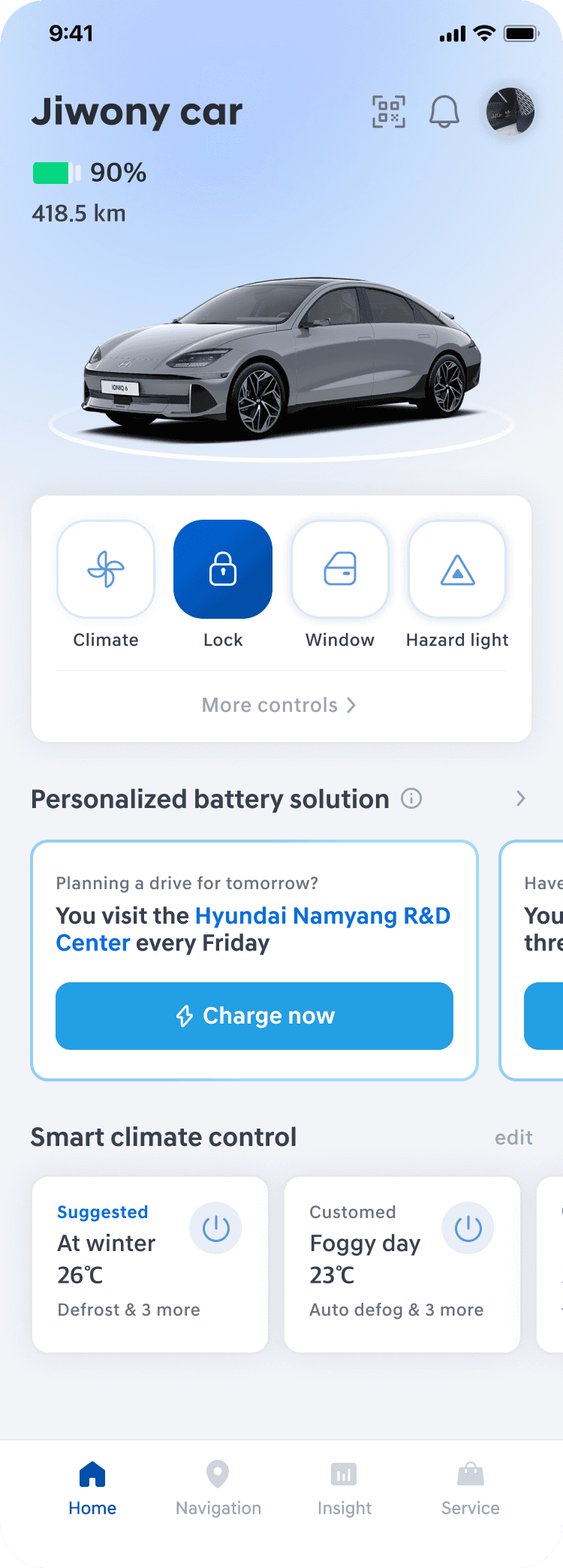
Ver. 1
High-Impact Hero Card
Ver. 2
Embedded Carousel
Ver. 3
Contextual Categorization
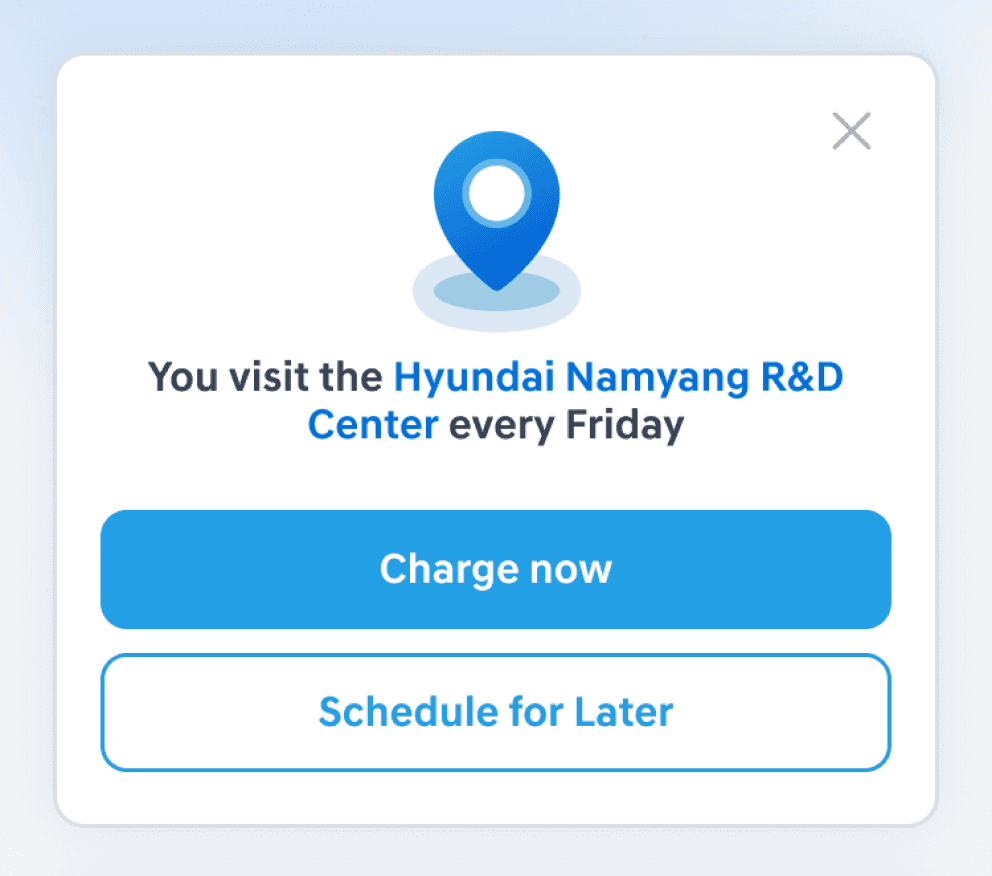
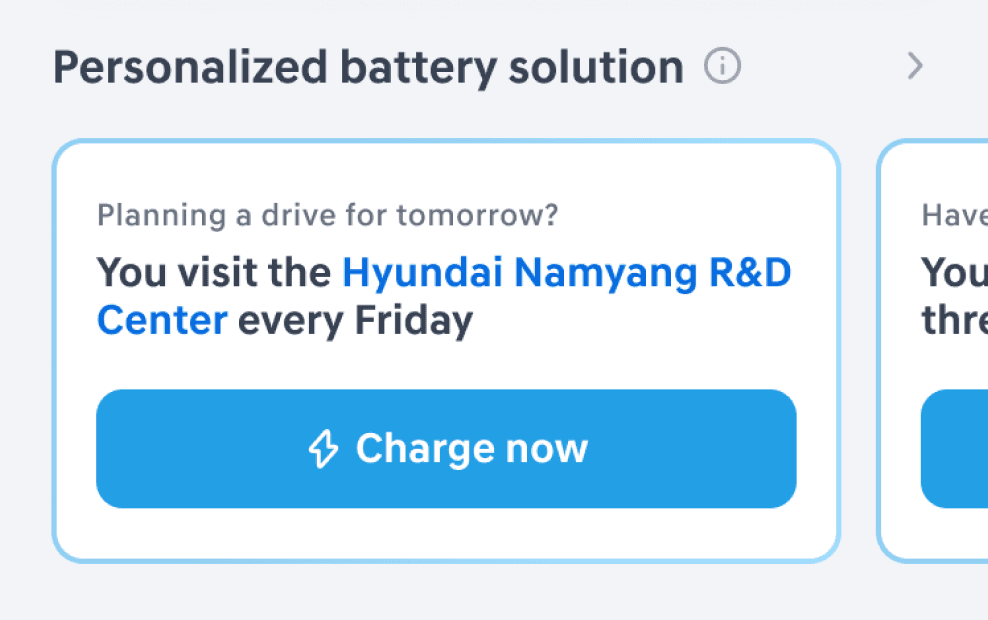
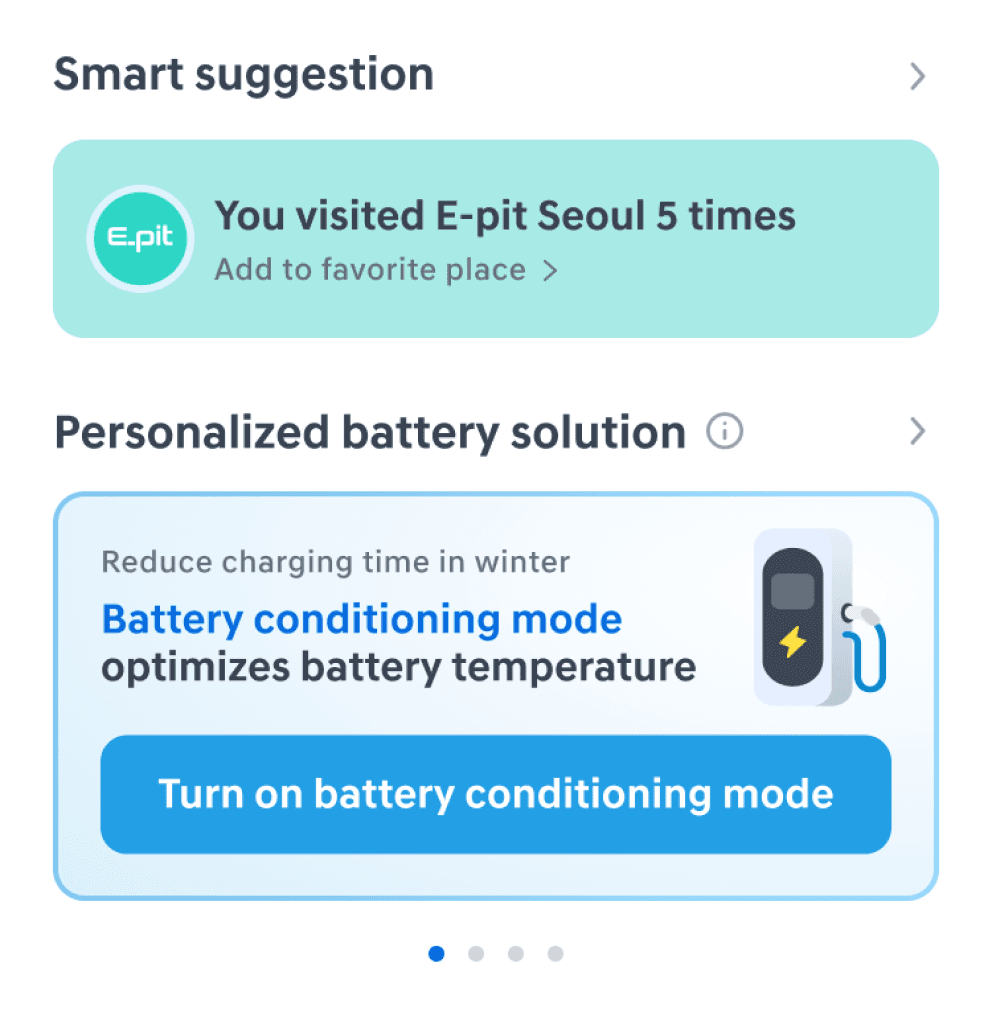
Balancing usability and business Strategy, I evolved the interface from disruptive Hero Cards and cluttered carousels into a Categorized Insight System. By separating lifestyle-based repetitive shortcuts from high-value battery optimizations, I successfully balanced user utility with business goals like service promotion.
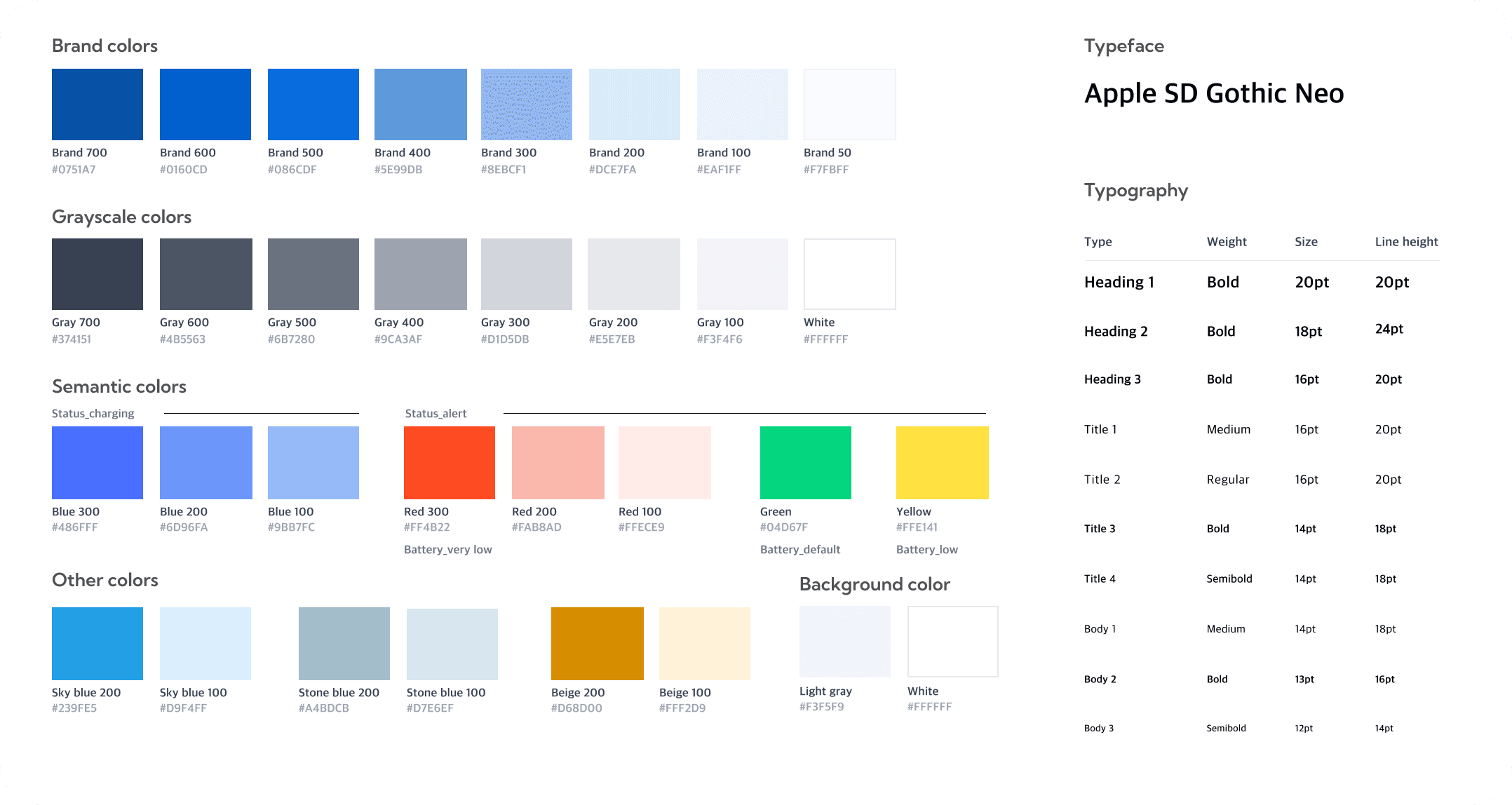
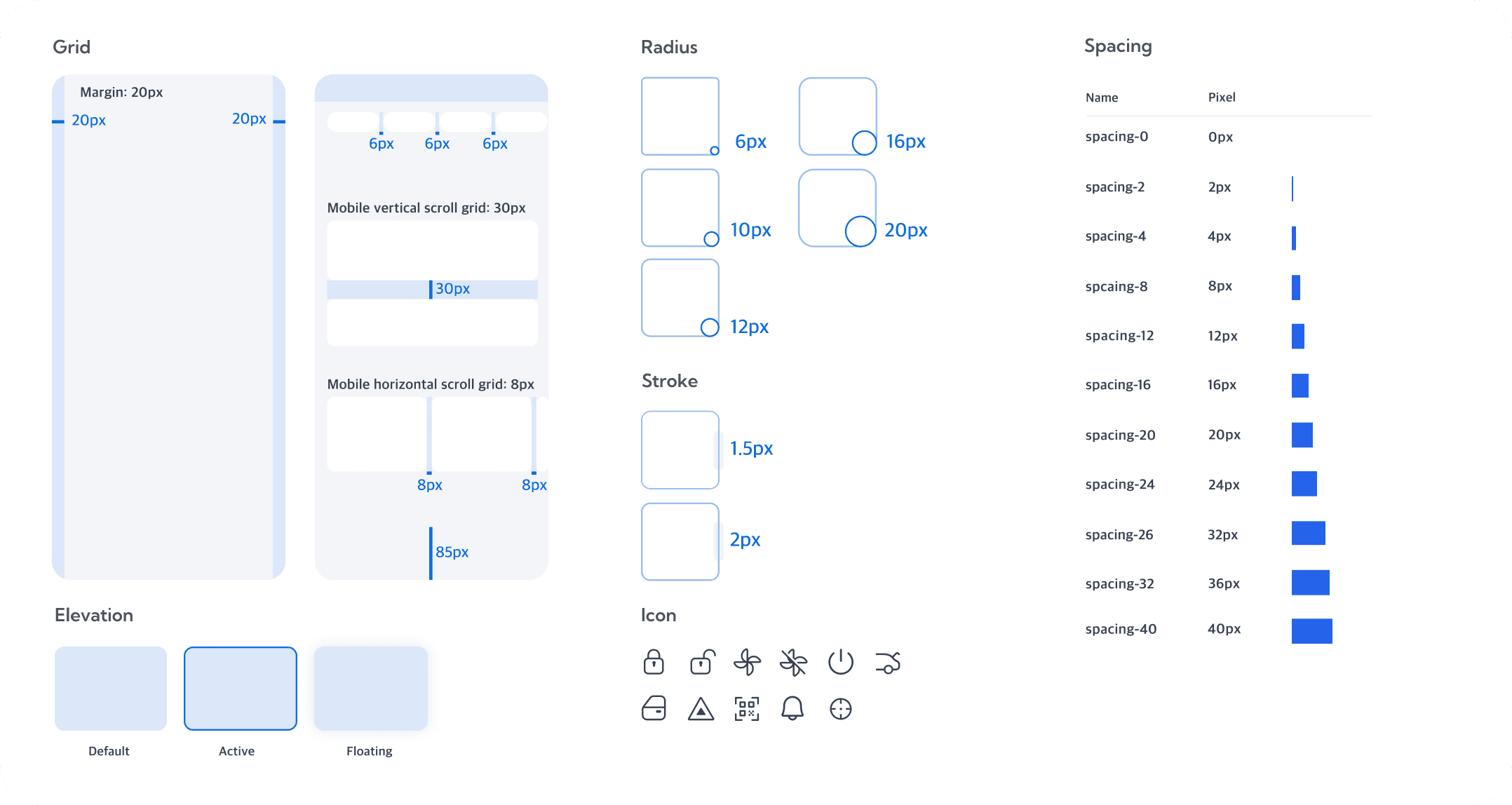
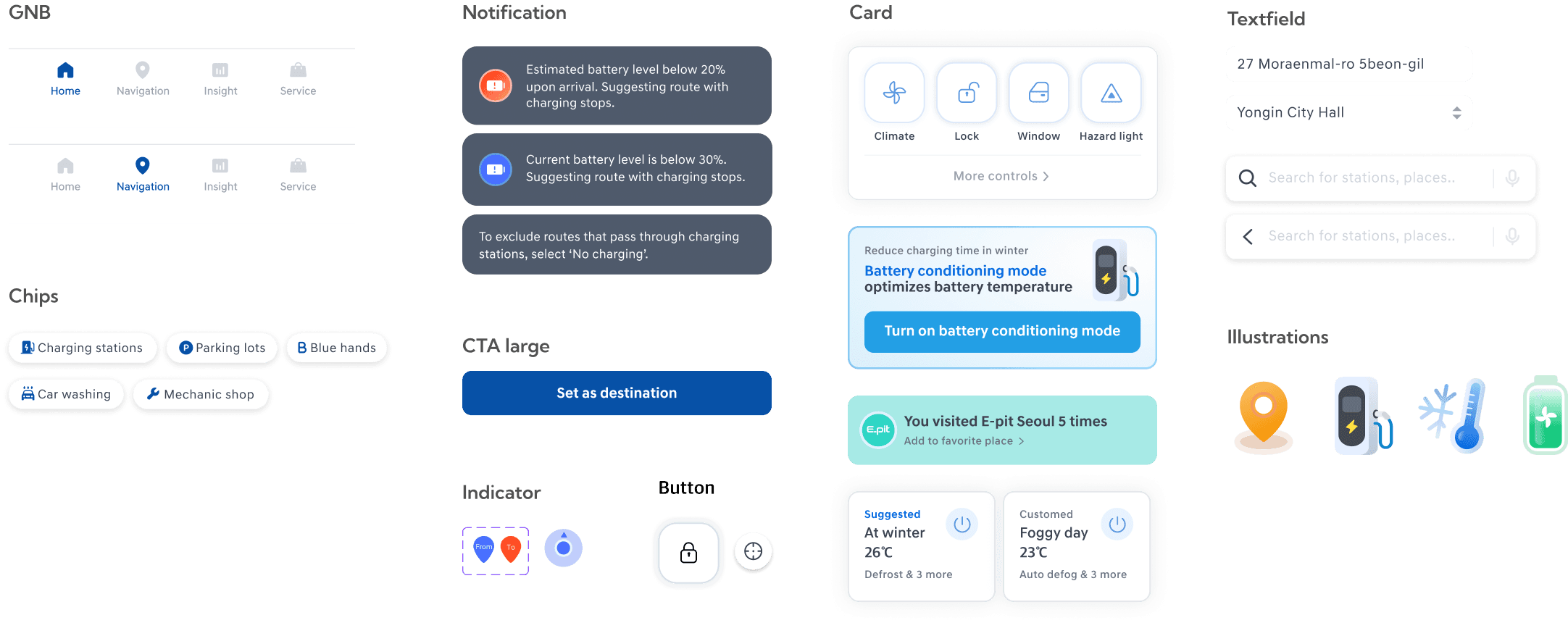
Design system
Components
Since the project was carried out as a team of service planners and product designers, I obtained effective communication skills to coordinate different opinions. For the next step, I would love to...
• Develop infotainment screens which was part of the user flow of our product. I would love to explore the UX differences.
• Publish the service to actual Hyundai EV drivers and collect retention, conversion, and churn rate, including MAU.
• Develop and specify ‘Insight’ tab in the GNB. Since the app provides personalized data analysis, establishing this feature will strengthen the app’s service goal.
Learnings
Next steps
• As a result, the bootcamp training by professional mentors allowed me to strengthen the logic of my UI design by following a systematic process, such as forming hypotheses and collecting feedbacks. Big thanks to them!
Since none of our team mates were a EV driver, we lacked basic information about EV. But we were able to learn about it a lot by doing active field research. This experience taught me that when working on UX design in unfamiliar areas, I should approach it proactively and with confidence.
• I learned the importance of providing clear affordances and feedback based on empathy for the user's service usage context, rather than just focusing on features from the maker's perspective.
• While designing experiences related to cars, I realized that it's important to consider not just the on-screen scenarios, but also the situations before getting in the car, during the drive, and after getting out.