
Timeline
Tools
Role
Overview
Clients
14 weeks
Figma
Unity
Useberry
Kicks Lab is a simulation-based shoe design game in which students aged 13-18 apply scientific principles to solve practical problems in a classroom setting through problem diagnosis, iterative failure, and real time data analysis.
Simulation-based shoe design game for STEM education
UX/UI design, User testing, Prototyping
Team
1 UX/UI designer (Me)
2 Producers
1 Artist
1 Programmer

Major Achievements
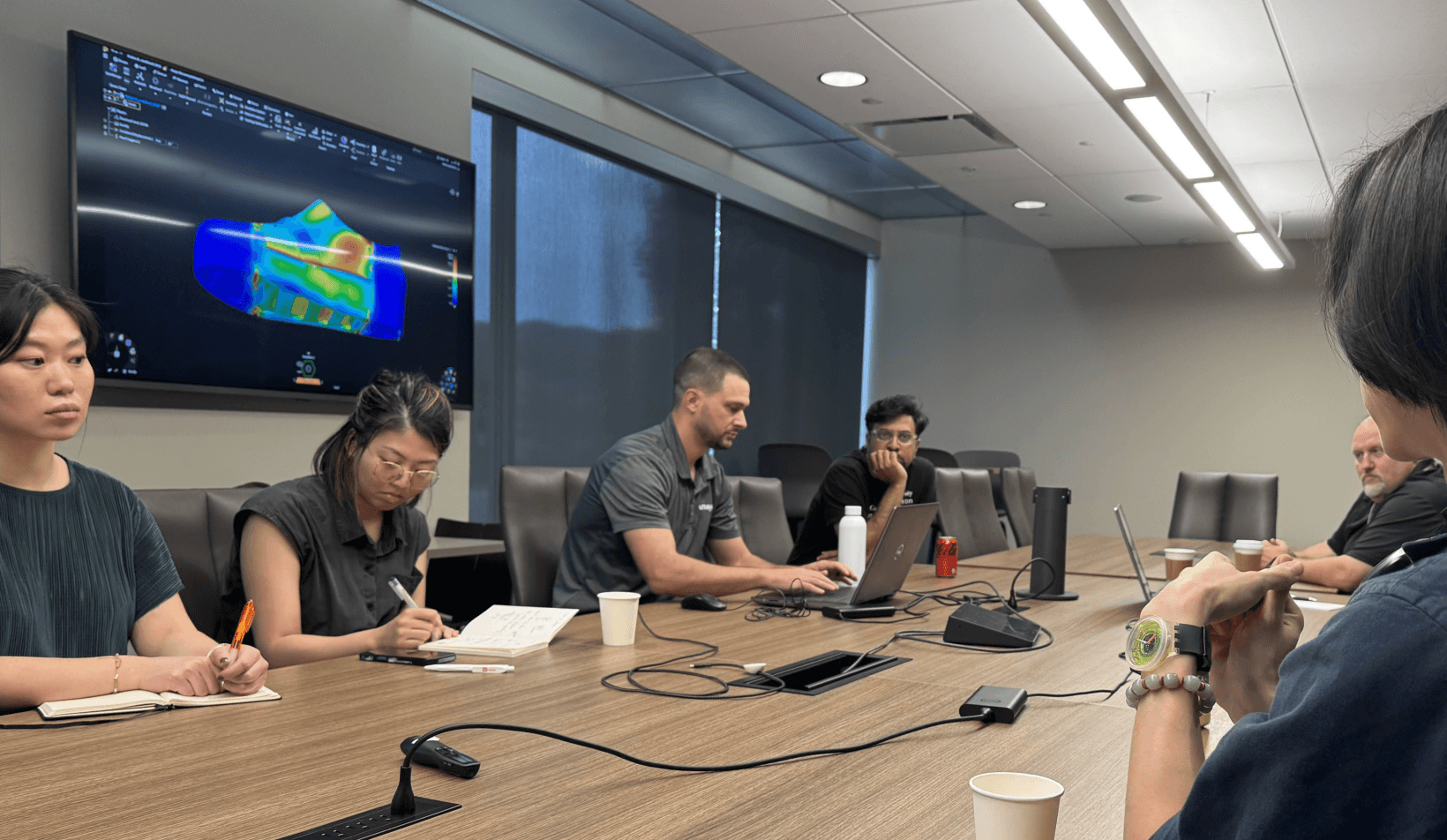
· Collaborated with 2 simulation company clients
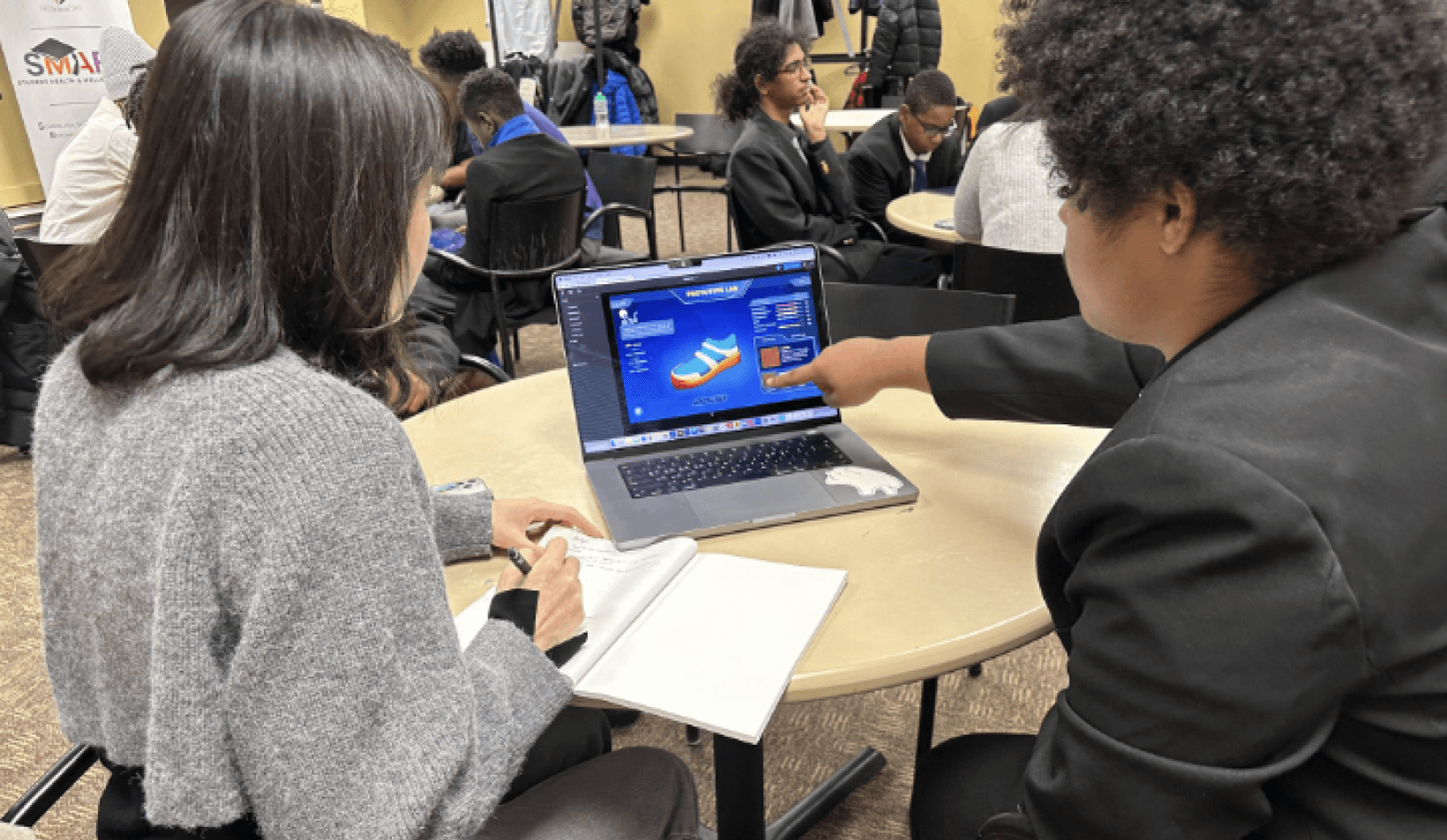
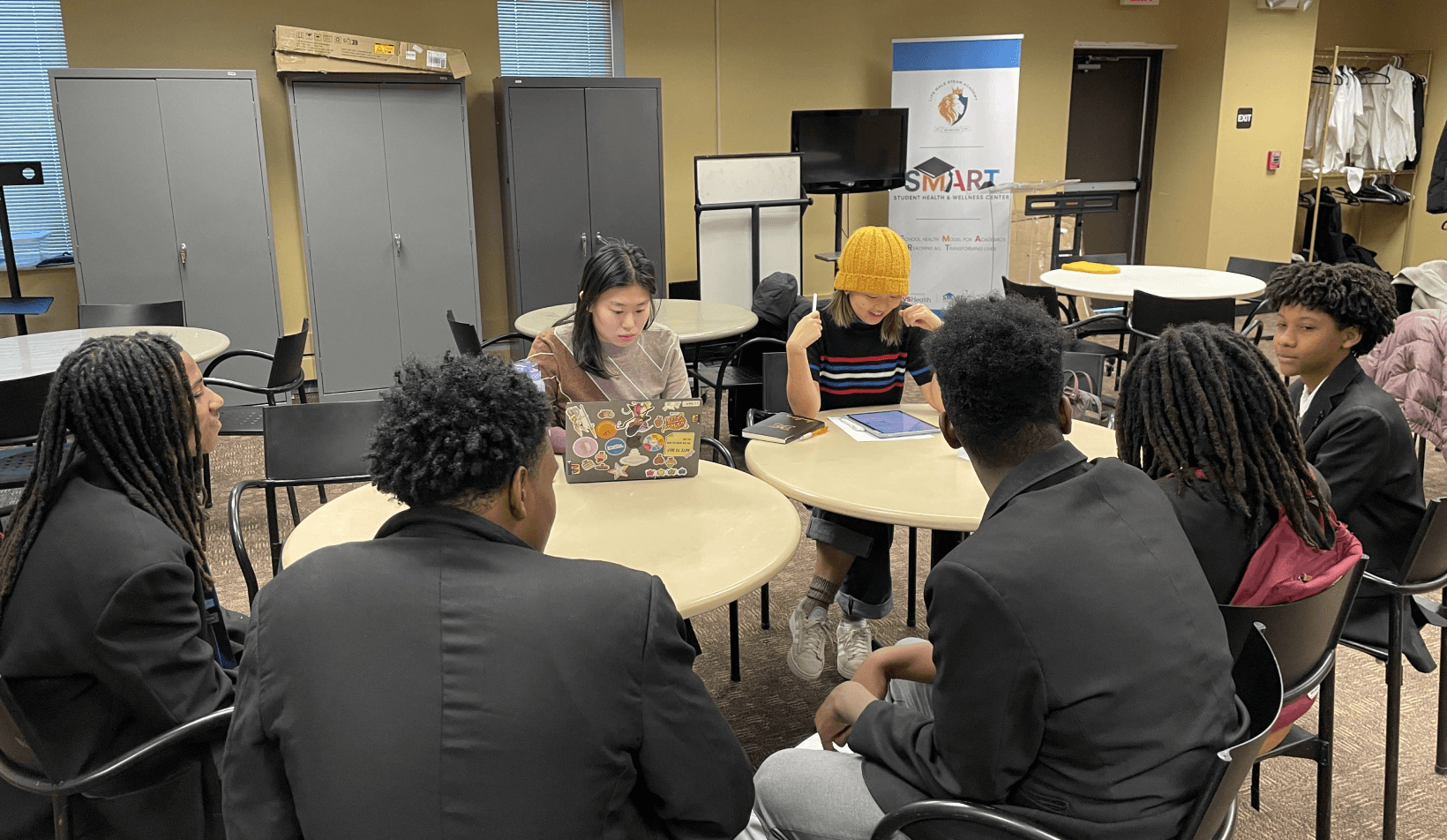
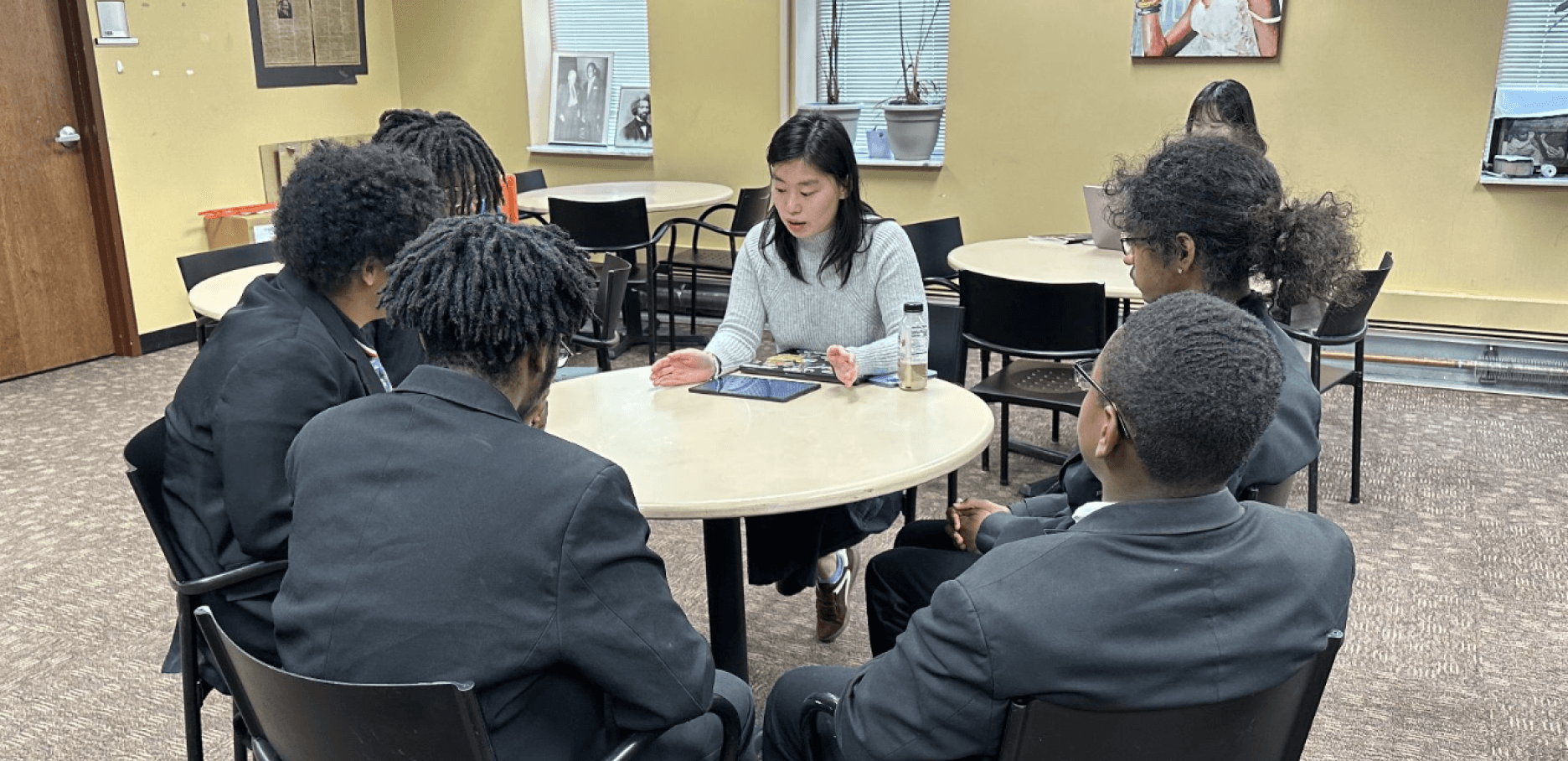
· Went through 4 rounds of user testing for 40+ people
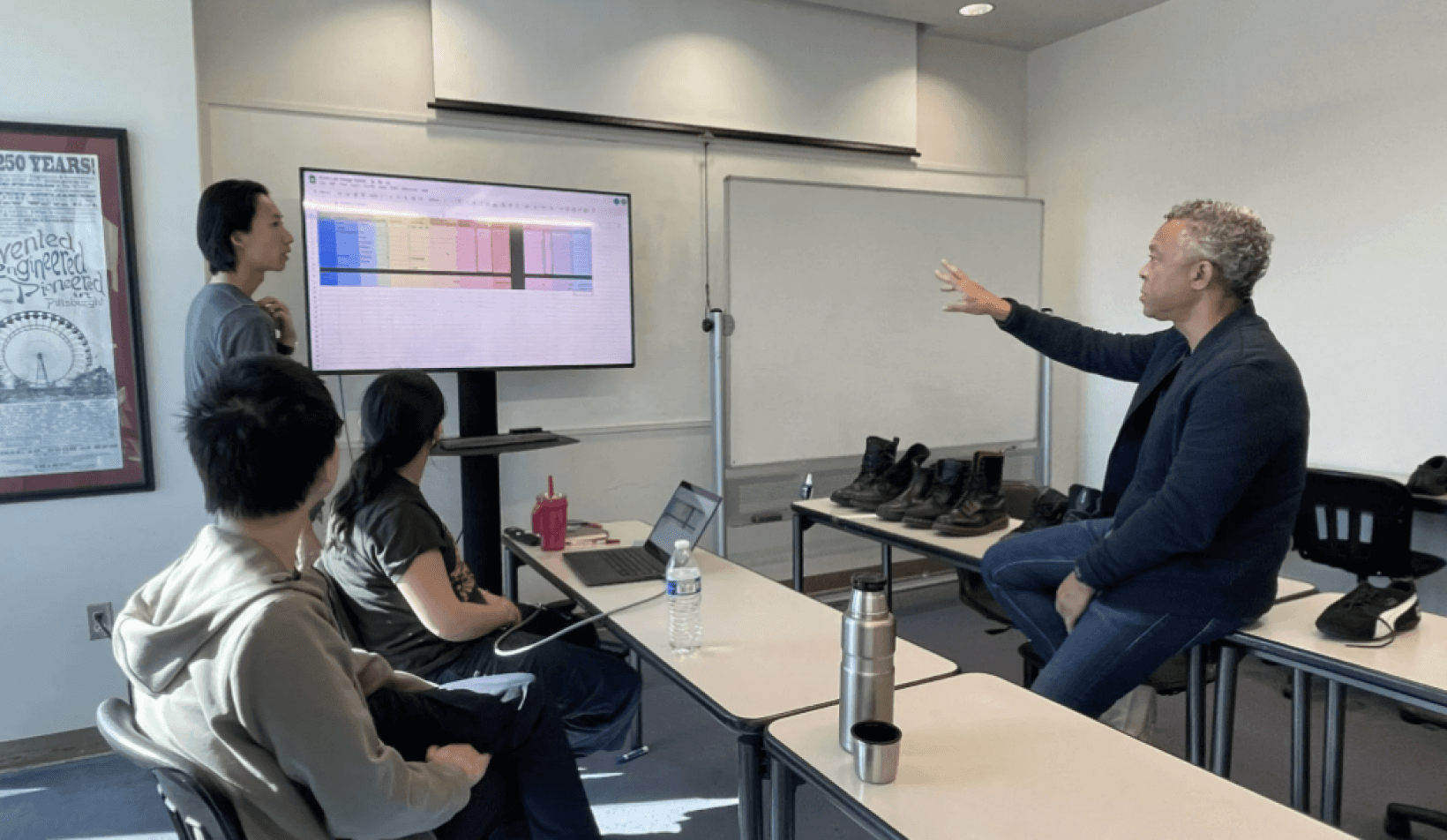
· Spoke to 2 STEM Leaders to validate concept
· Iterated design based on Ansys UX designer feedback
· Implemented interactable UI in Unity
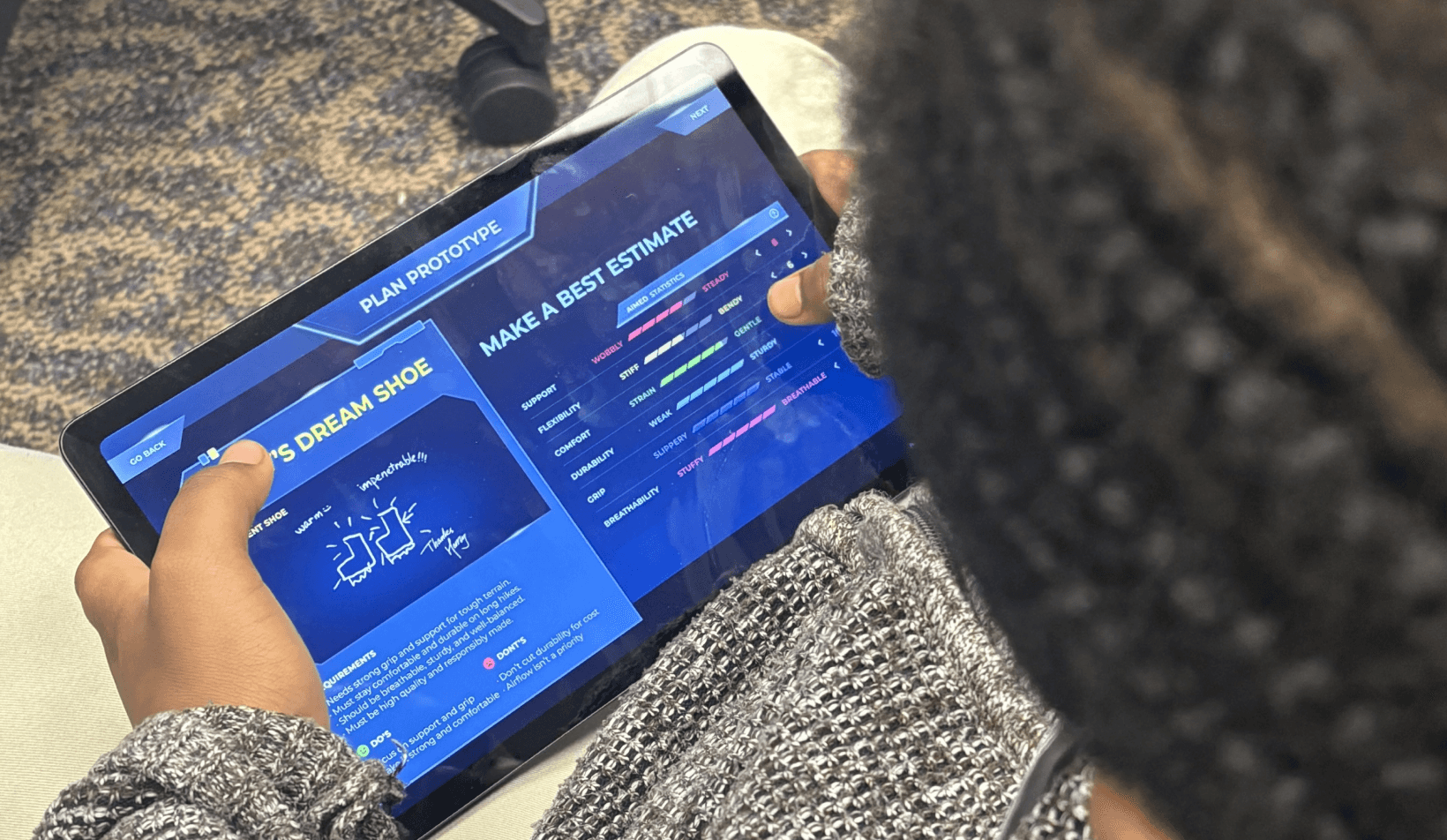
Simulation-based learning that fosters agency and
empowers students to design, test, and see their impact
The goal
Students lack access to STEM environments and insights that nurture their agency,
leaving them disengaged from the learning process.
Problem Statement
How might we translate complex STEM concepts into
accessible and engaging learning for teenagers?
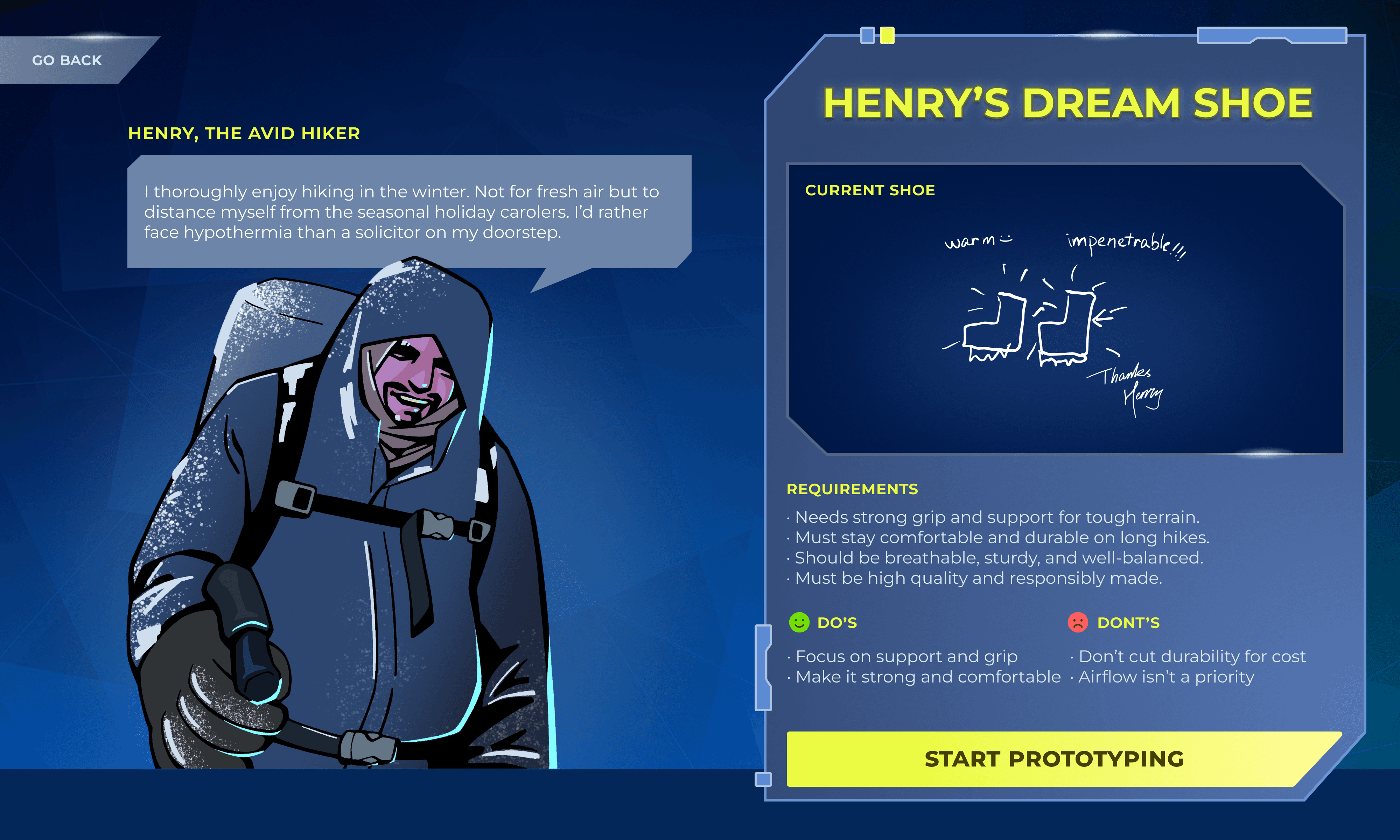
Diagnosis
Analyze customer’s pain points and hypothesize solutions based on requirements
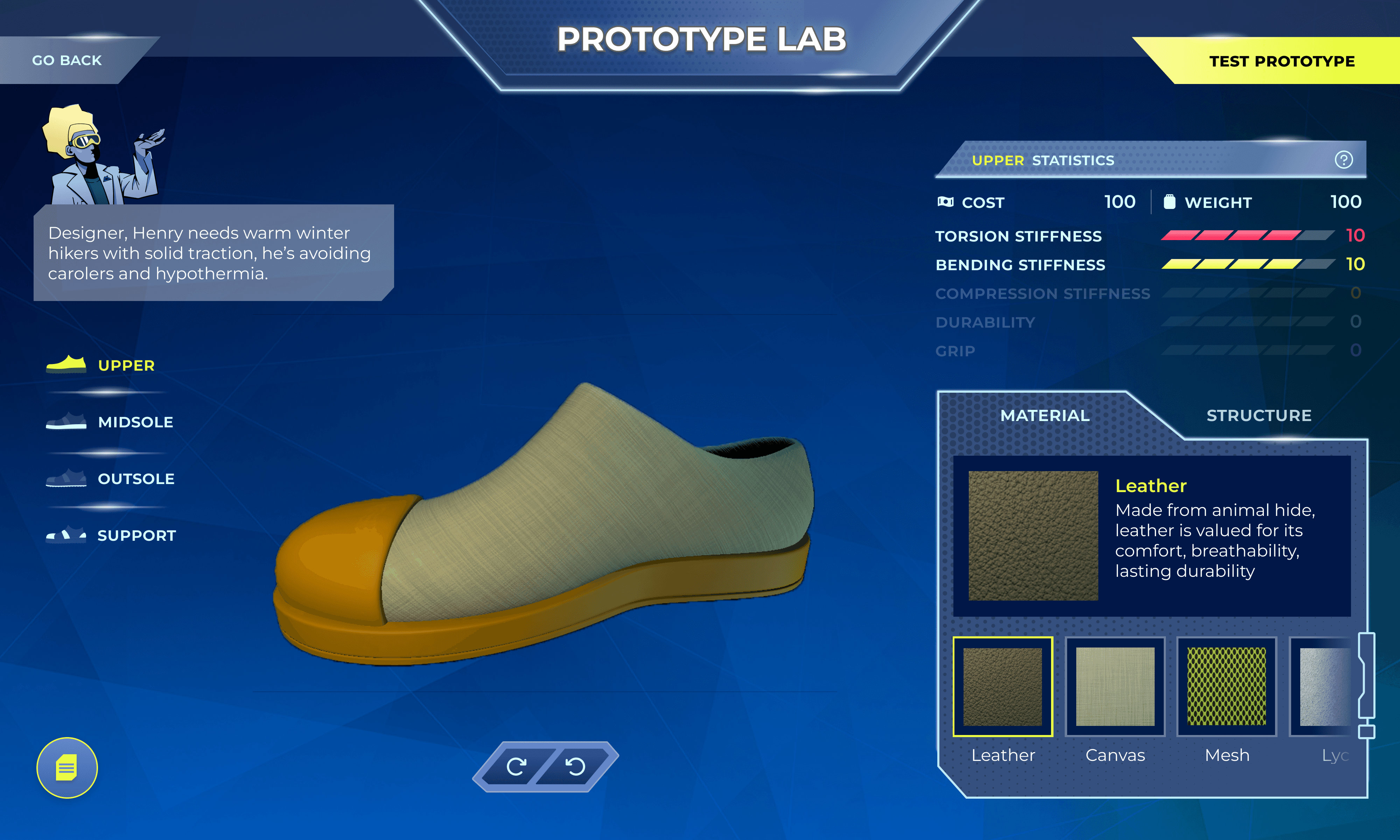
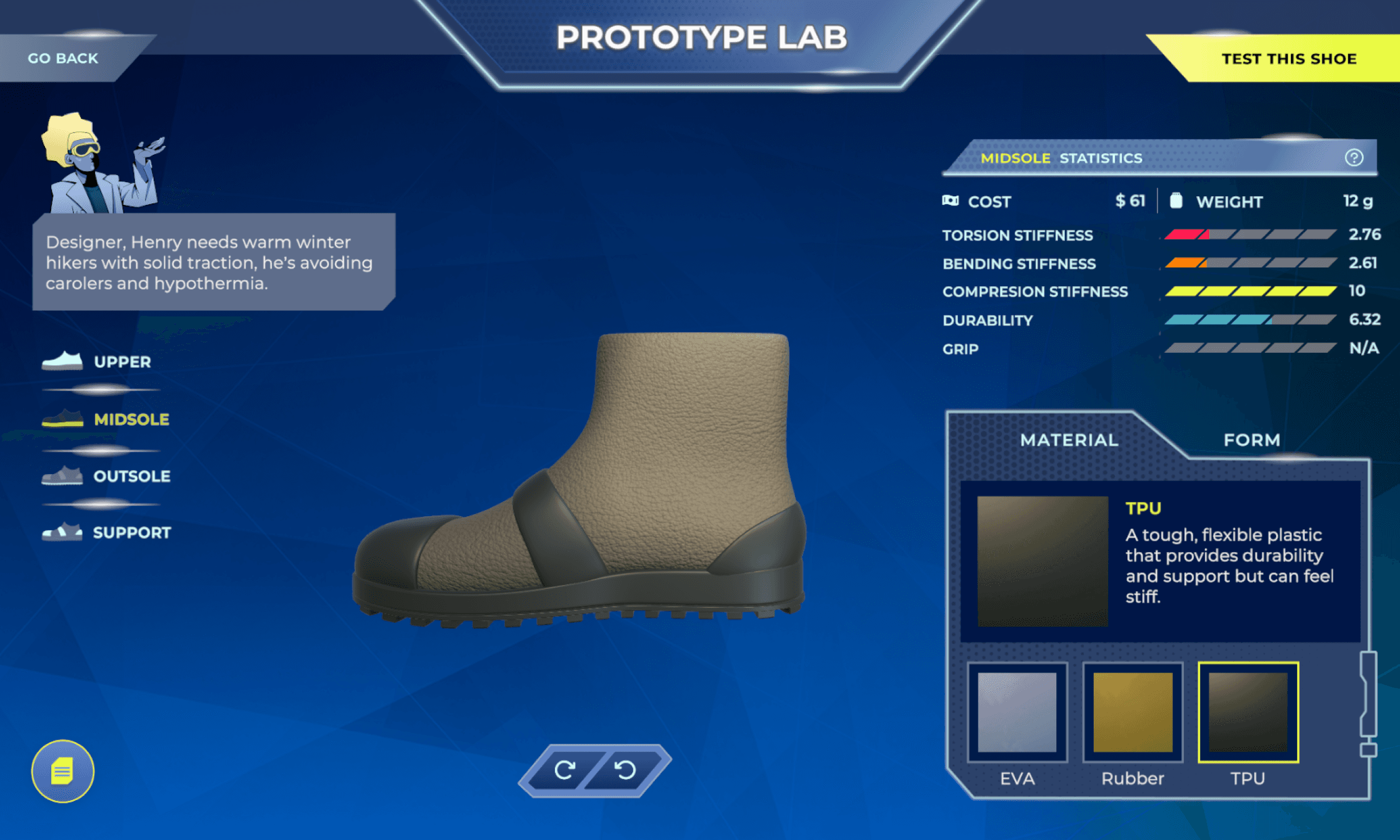
Prototype Design
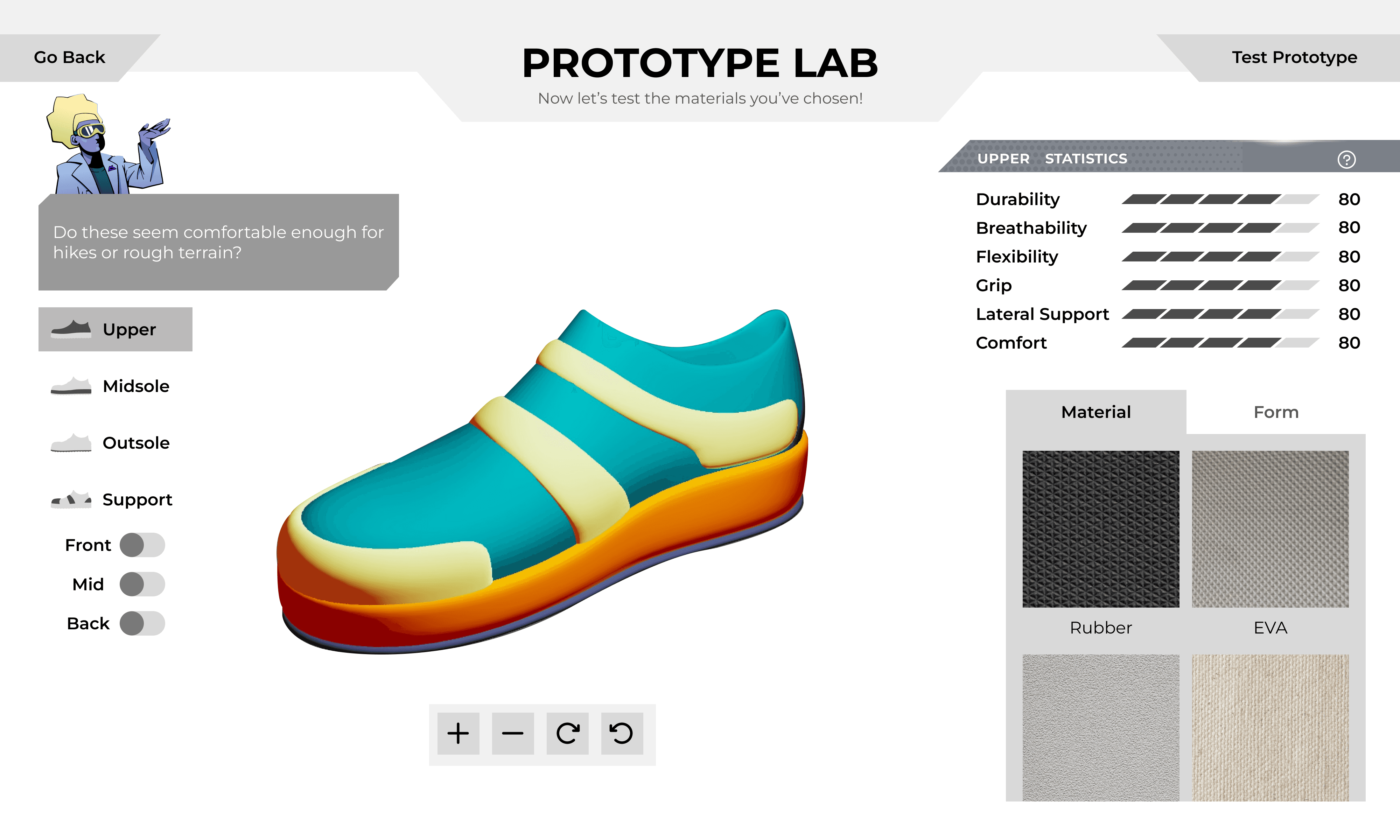
Actively test hypotheses by manipulating material and structure choices
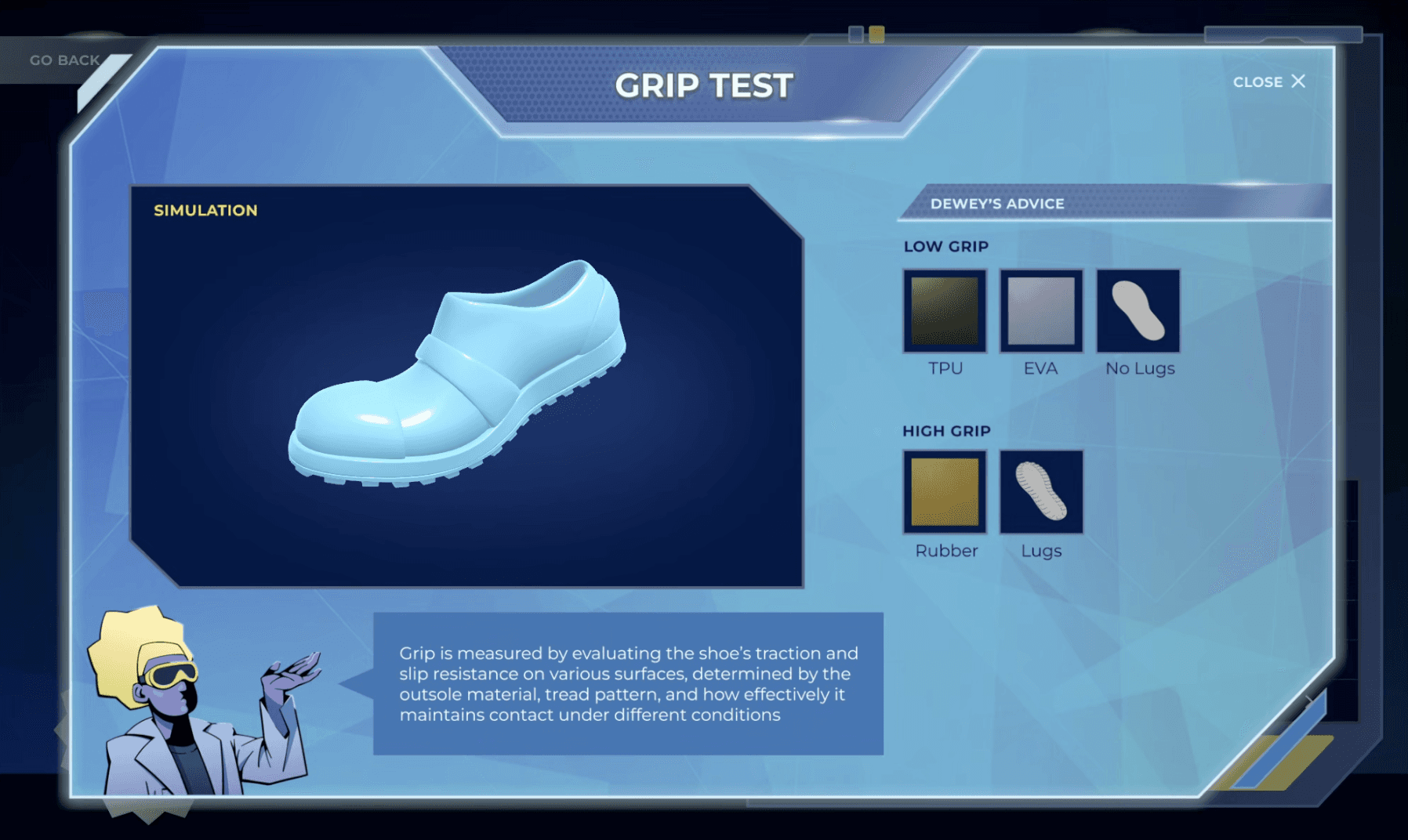
Iteration and Analysis
Review simulation data and refine the design, mirroring real-world engineering workflows
The challenge
Making STEM learning more relatable
Many American teenagers find traditional STEM education to be dry, abstract, and disconnected from their lives. This leads to disengagement and a lack of interest in pursuing STEM fields.


Project Goal
Educational Goals
Simulation based learning that fosters agency and empowers students to design, test, and see their impact
Teach materials, design, and performance factor affects shoes
Learn data interpretation and analytical matching
Critical thinking through analysis
Practice resilience by iterative testing
Target Users: Youth 13-18
Balancing Client Needs and Educational Goal
Challenges
02
01
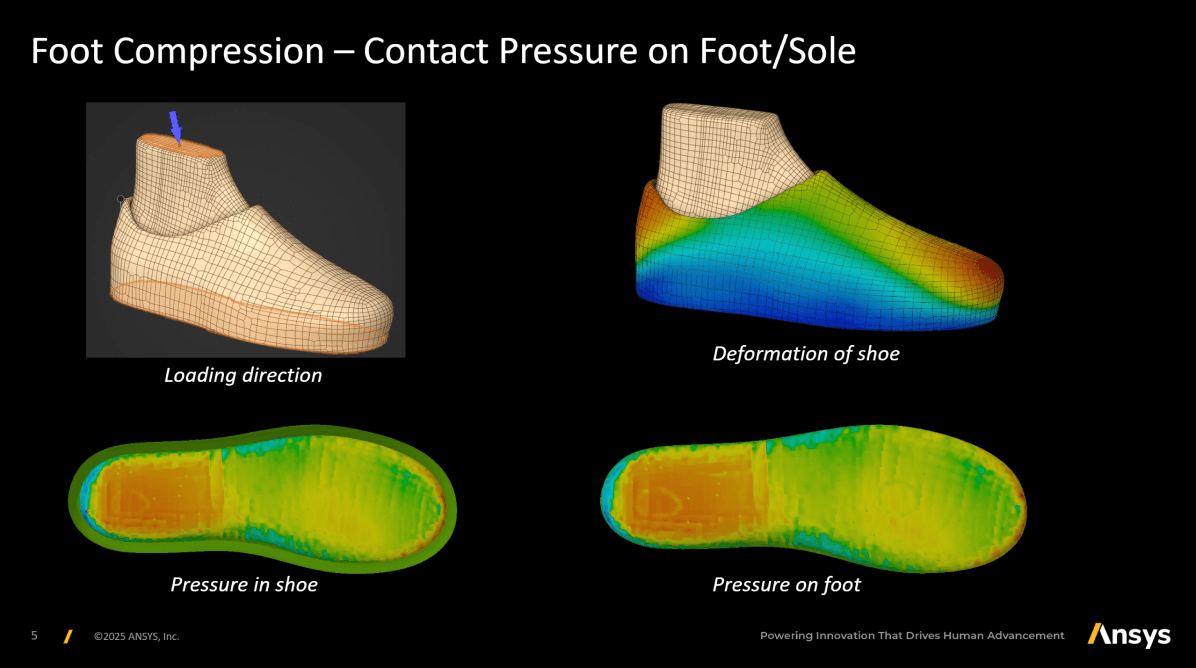
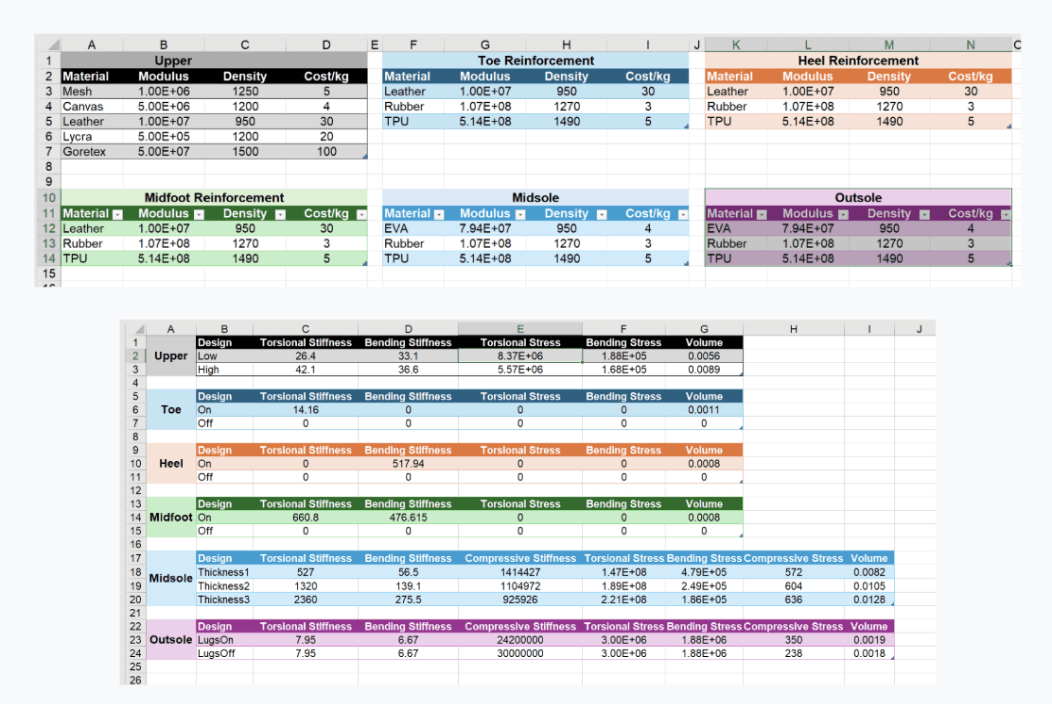
Utilization of real simulation data
Suggestion of possible shoe simulation data usage idea
Client Needs
02
03
01
Make complex ideas accessible and engaging
Engaging the players, movitating iteration
Providing streamlined user experience
Educational Goal

To bridge the gap between industry-scale data and everyday reality, I adopted gamification to make complex STEM concepts relatable and engaging for teenagers.
Design Strategy
Gamification Strategy
Relatable Real-World Context
Leveraging the shoe to transform abstract engineering principles into tangible lessons.
Cognitive Load Reduction
Distilling raw technical parameters into intuitive terms, making it more accessible.
Narrative/Dialogue-Driven Guidance
Utilizing customer personas and dialogue to frame technical requirements as relatable human problems.
Multisensory Feedback
Providing validation through visualized data and simulation animations to help players understand the impact of their choices.
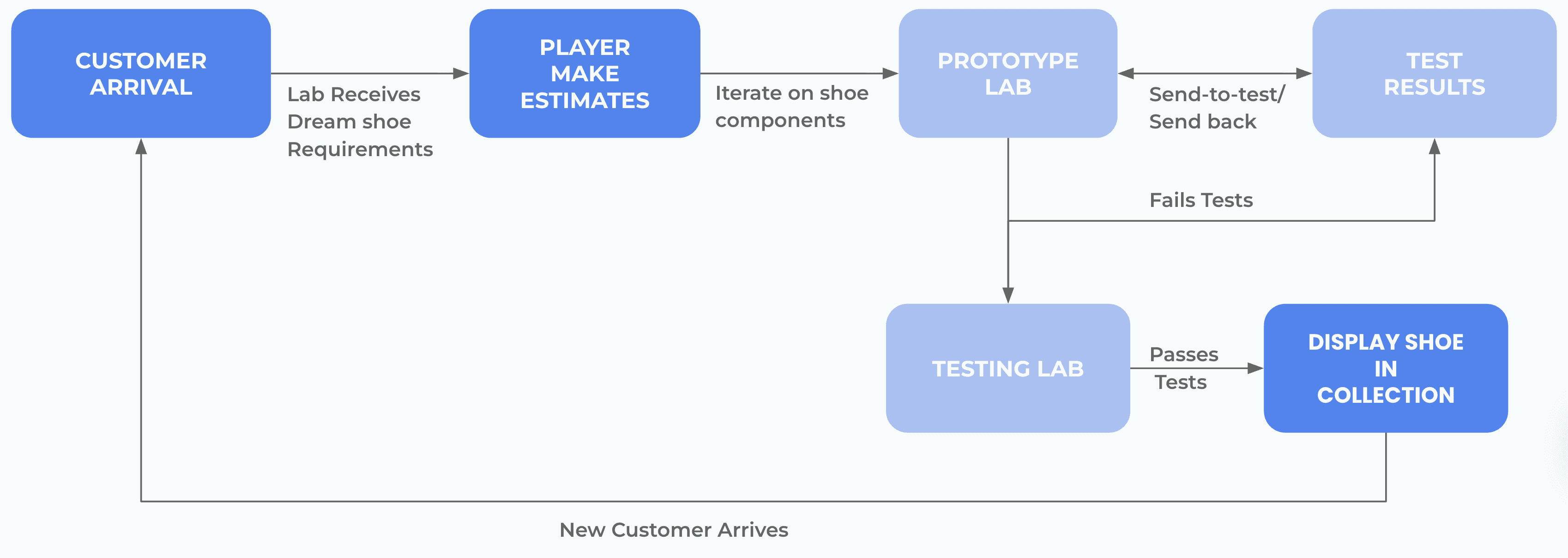
User Flow
Core Gameplay Loop
Optimizing the Feedback Loop for Iterative Learning
In A/B testing, 72.2% of users preferred Flow B because it transformed the testing phase from a linear chore into a high-utility diagnostic tool.
Design Decision 1
Prototype Lab
27.7%
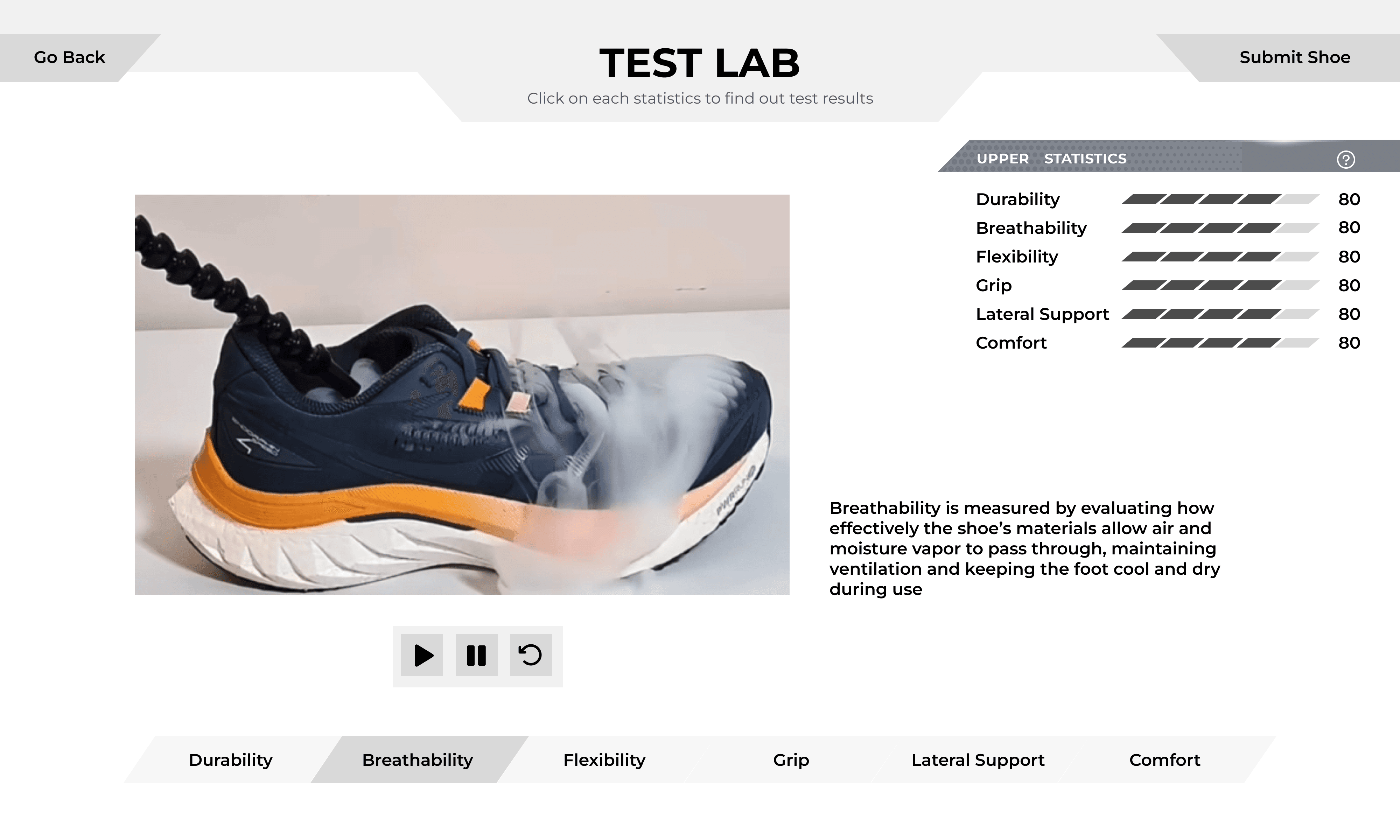
A: Sequential Testing
Information Lag: Users lacked feedback on success or failure until the final screen
Low Relevancy: Forcing users through every test animation created unnecessary friction
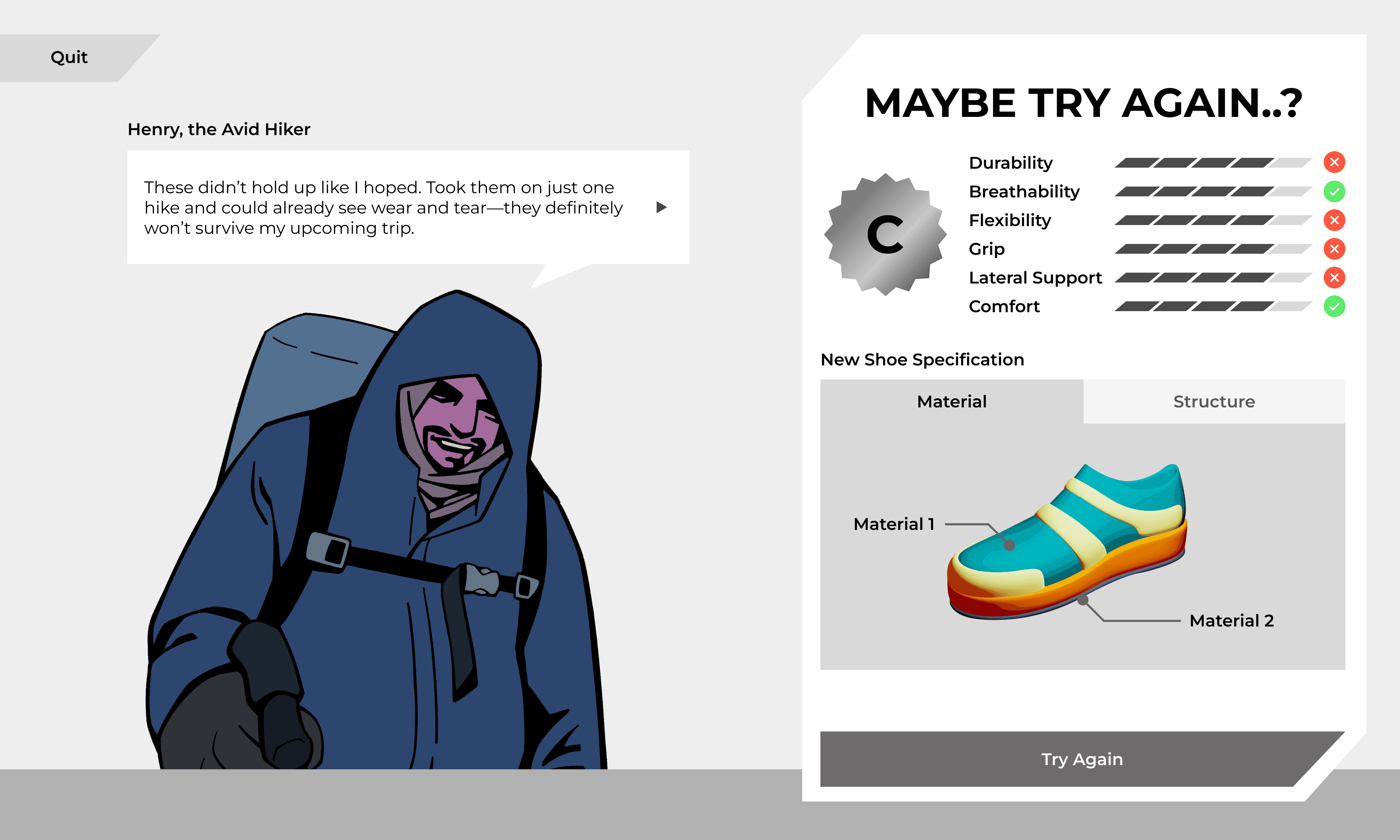
Prioritized Attention: Red "X" icons helped users self-direct to specific failures
Diagnostic Dashboard: Results provide a clear roadmap for the next build
Tighter Loop: Upfront failure identification makes rapid iteration feel more intuitive
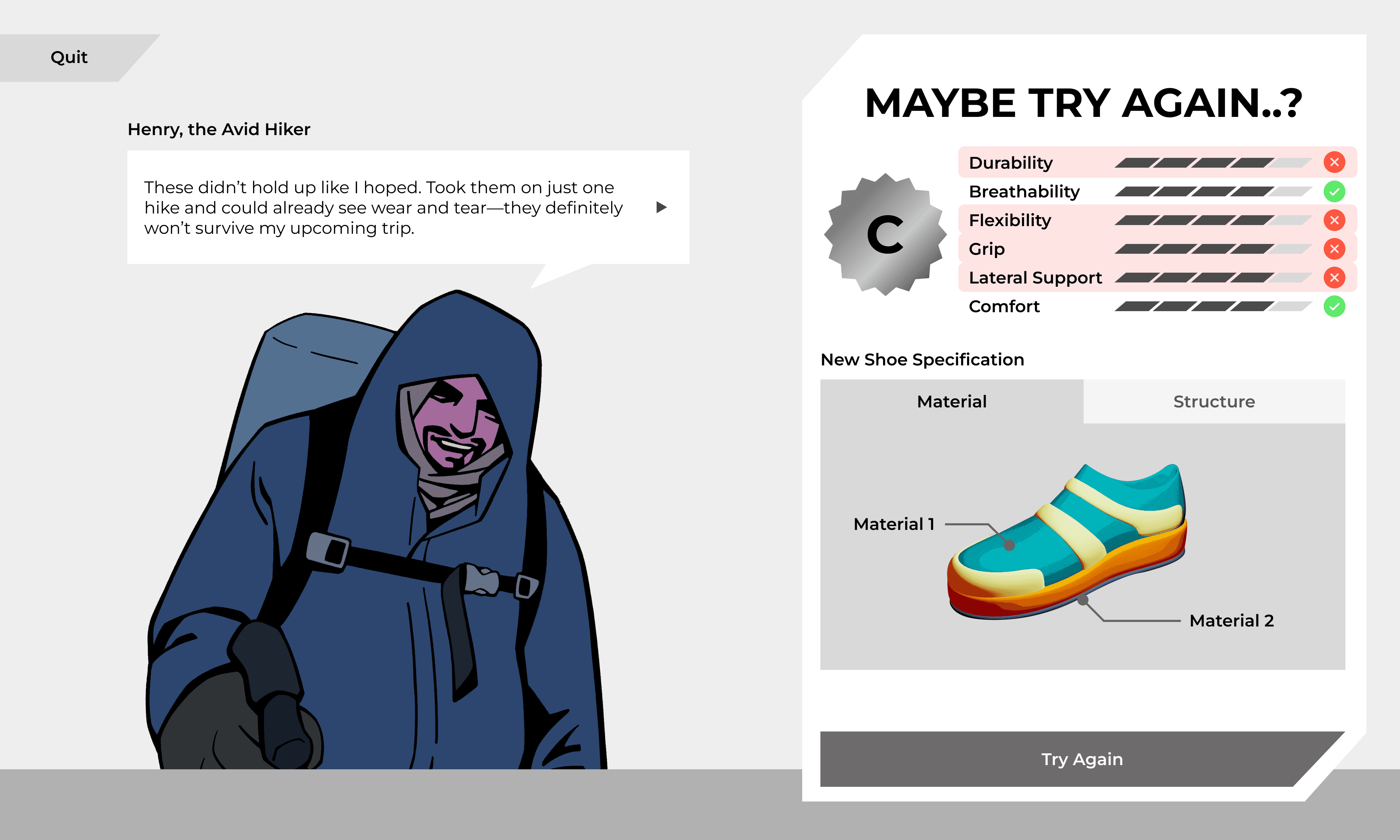
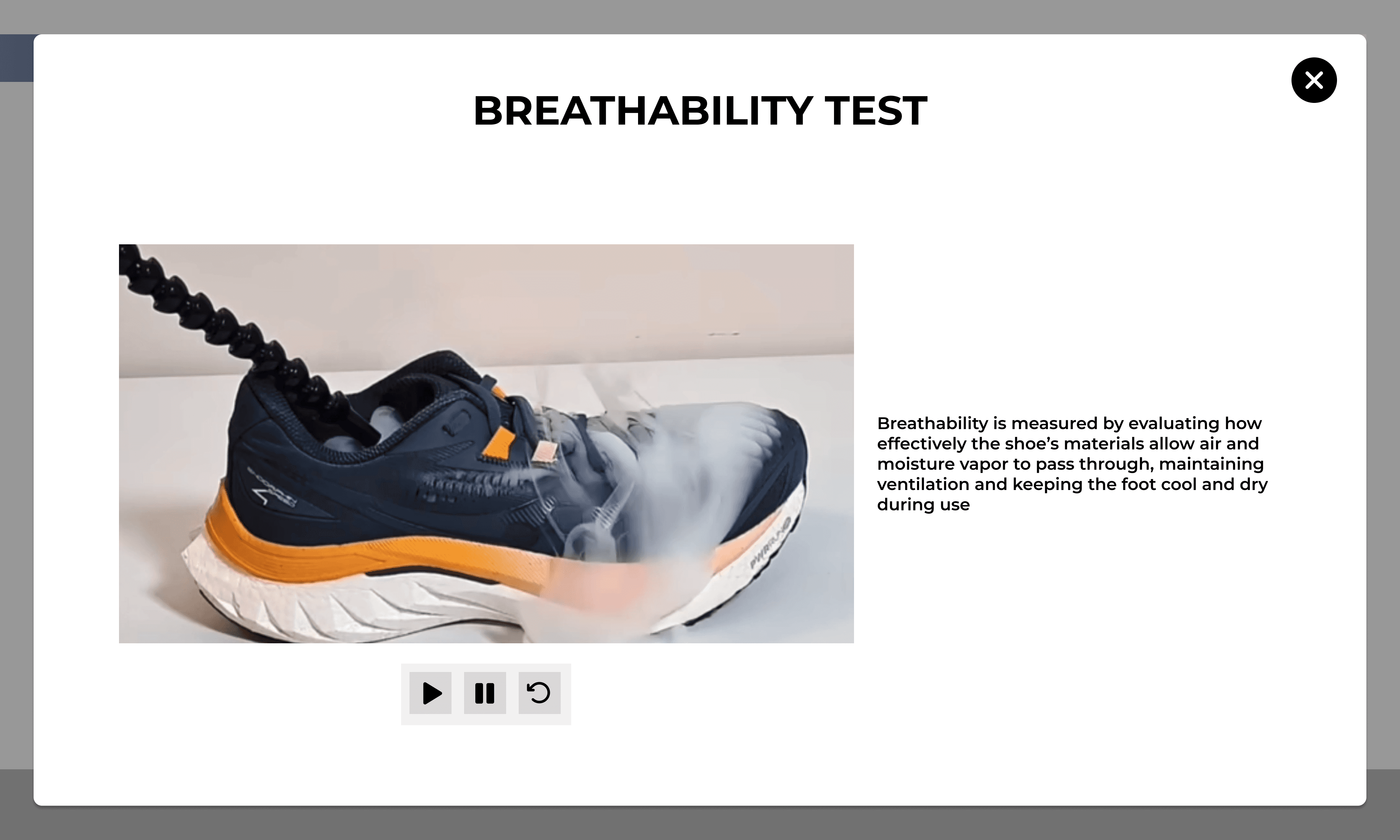
72.2%
B: Results-Driven Testing
Finding Instructional Interface for Prototype Lab
Users preferred Version B due to its clear information hierarchy and persistent description panel. Dedicated Info Panel allowed users to compare material properties instantly without extra clicks. I finalized the interface based on this dispersed layout.
Design Decision 2
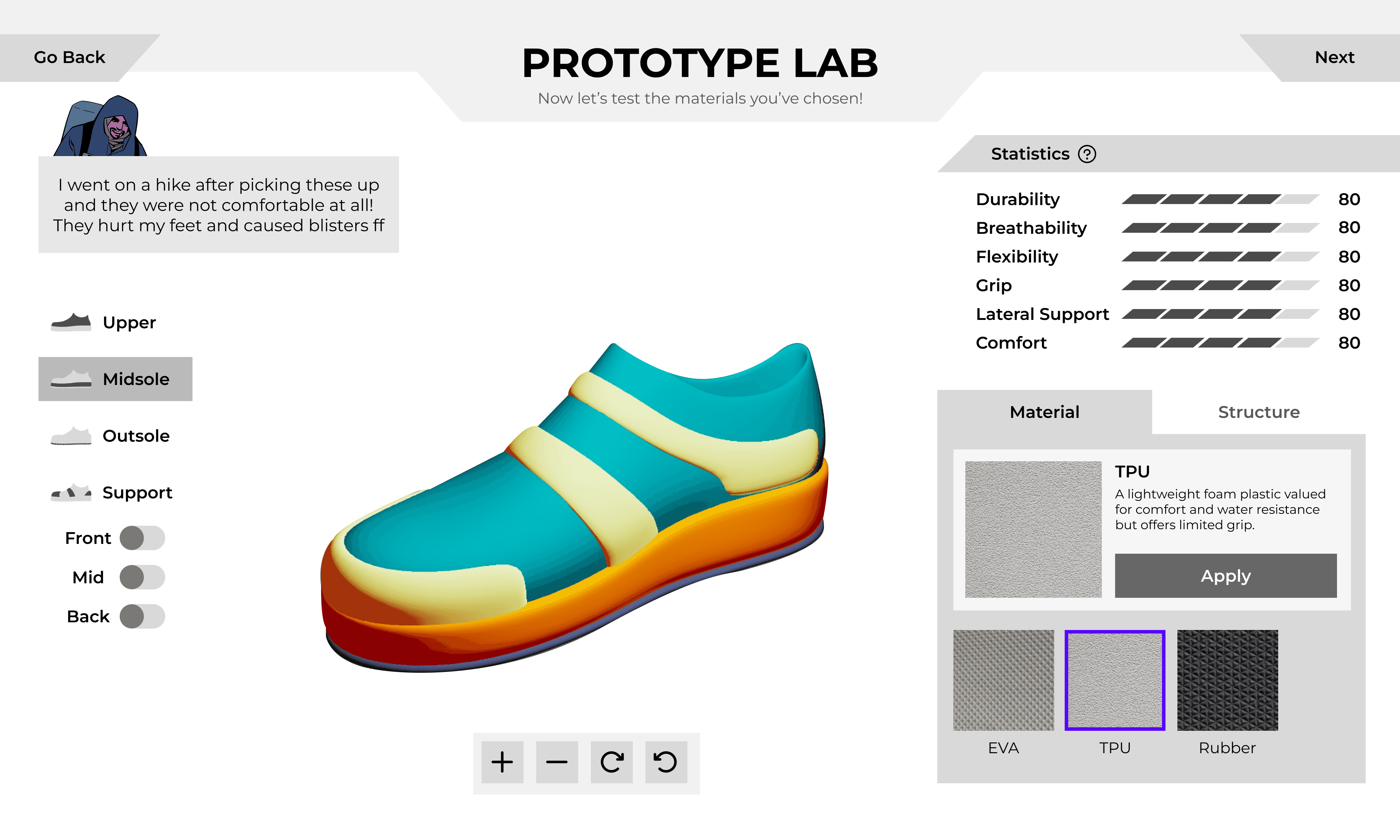
More accessible information
Easy to control with both hands
Adds extra step when applying
44.4%
B: Dispersed + Info Panel
A: Right Cluttered + Tooltip
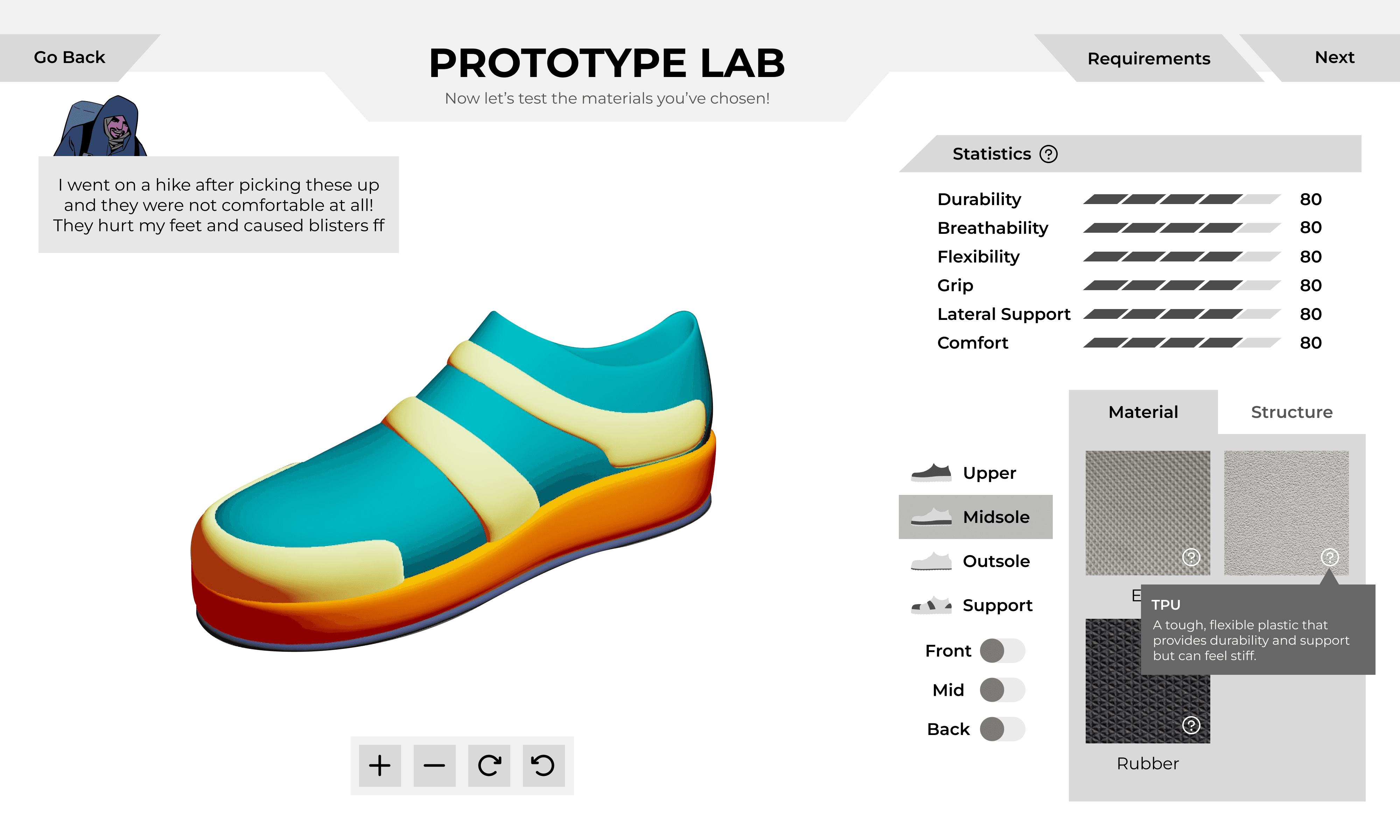
Clear division of workspaces
Requires extra click for info
38.8%
A: Right Cluttered + Tooltip
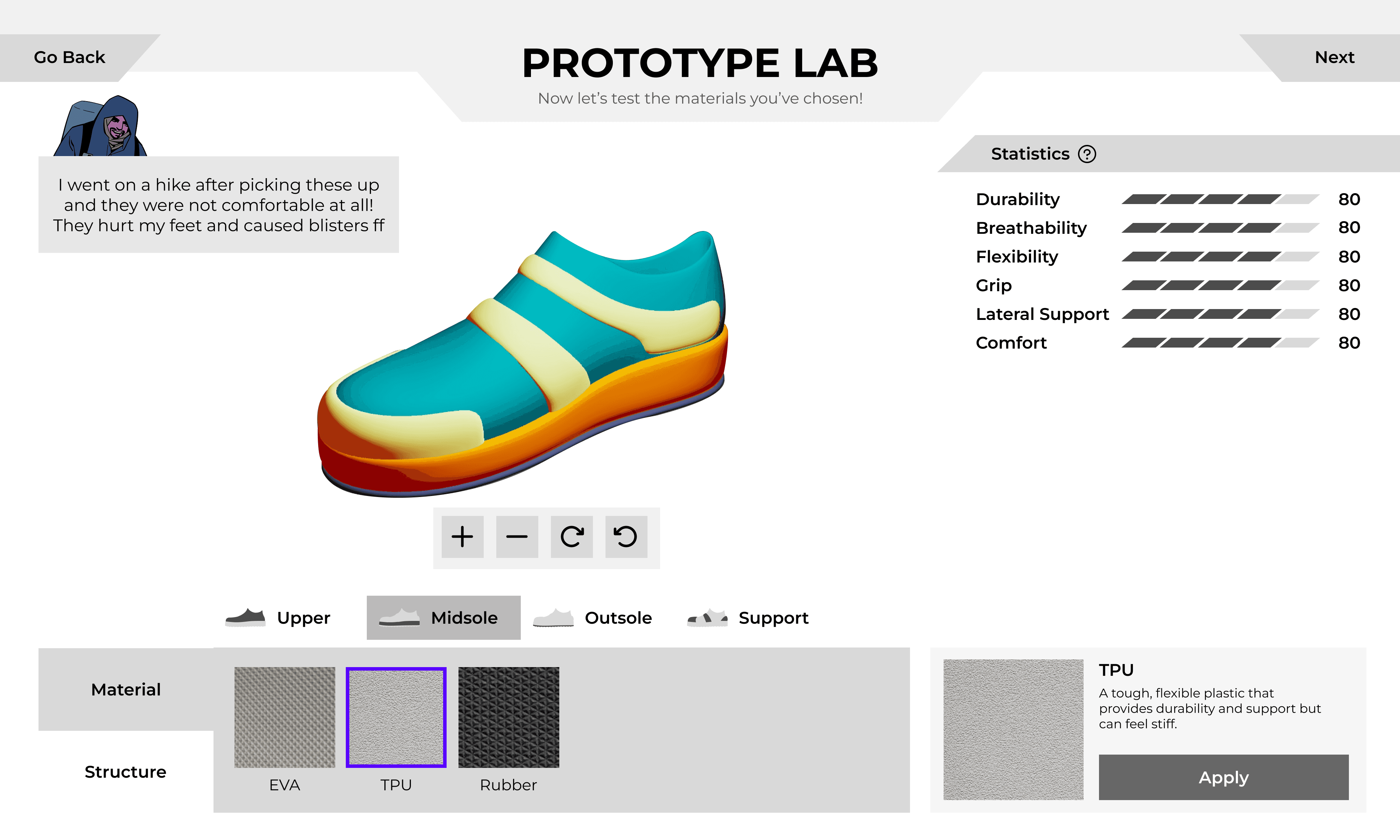
Good for option scalability
Awkward visual hierarchy
Info Panel often got covered by hand
16.6%
C: Bottom Cluttered + Info Panel
Adding a Stepping Stone: Scaffolding the Engineering Process
Playtesting revealed a significant cognitive gap between reading customer requirements and selecting technical shoe parameters. Users were overwhelmed by the transition, struggling to translate abstract needs into material properties.
To bridge this cognitive gap, I added a "Plan Prototype" phase where users form a hypothesis by setting "Aimed Statistics" before building. By replacing complex terms with relatable descriptors, I lowered the barrier to entry and turned material science into an intuitive design strategy.
Design Decision 3
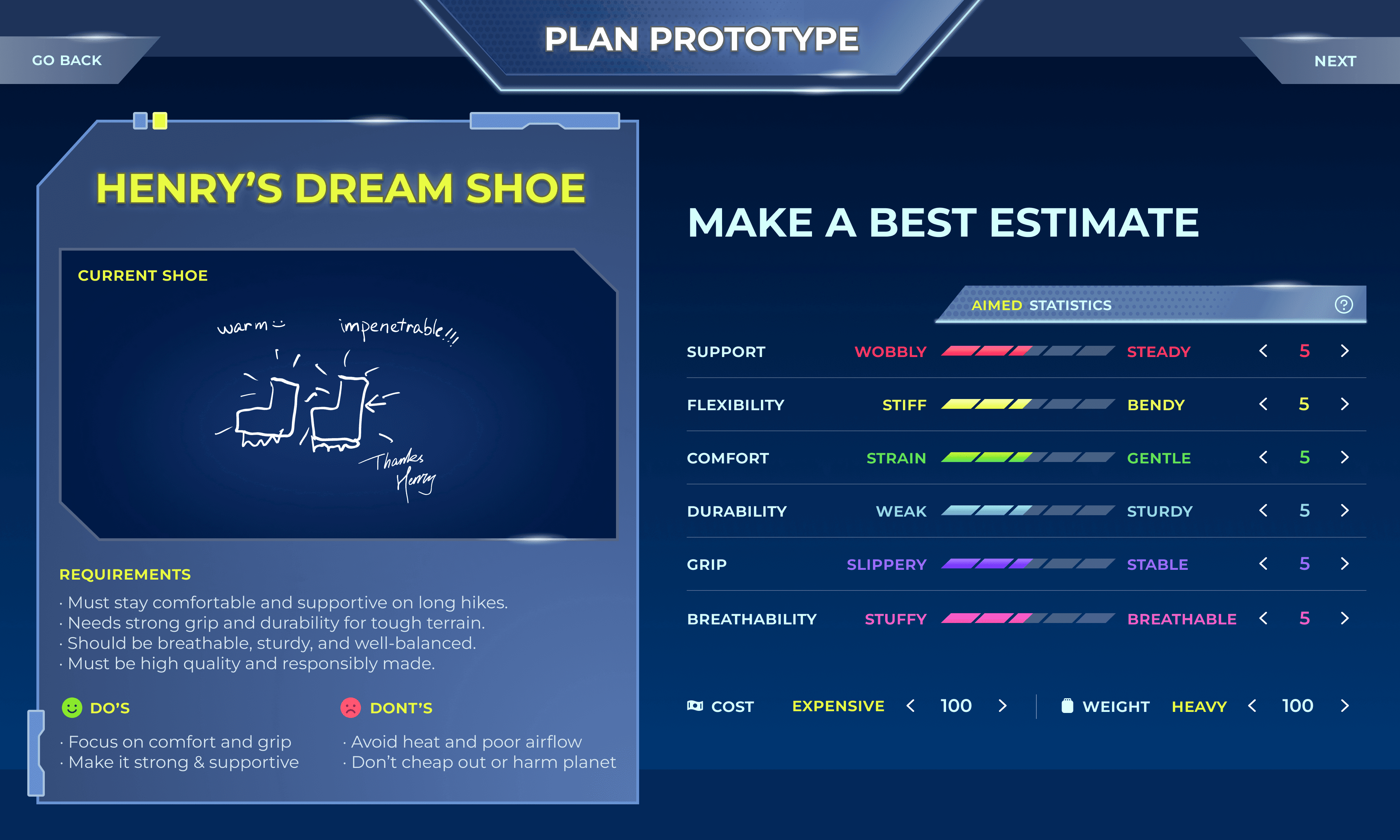
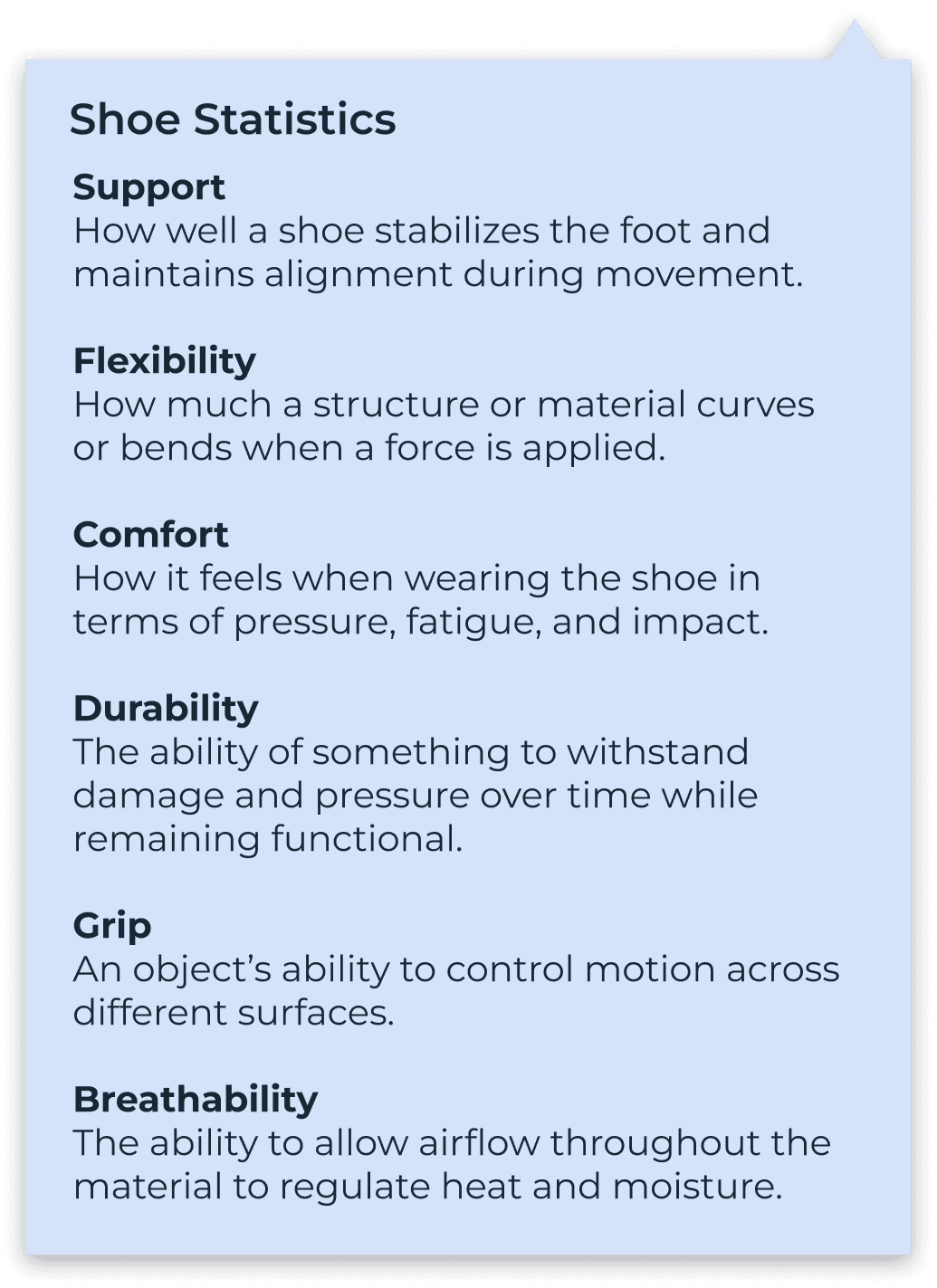
Provides instant context for teenagers to internalize unknown STEM terms
Relatable Descriptors
Customer Requirements
Provides direct comparison that helps planning
Statistic Definitions
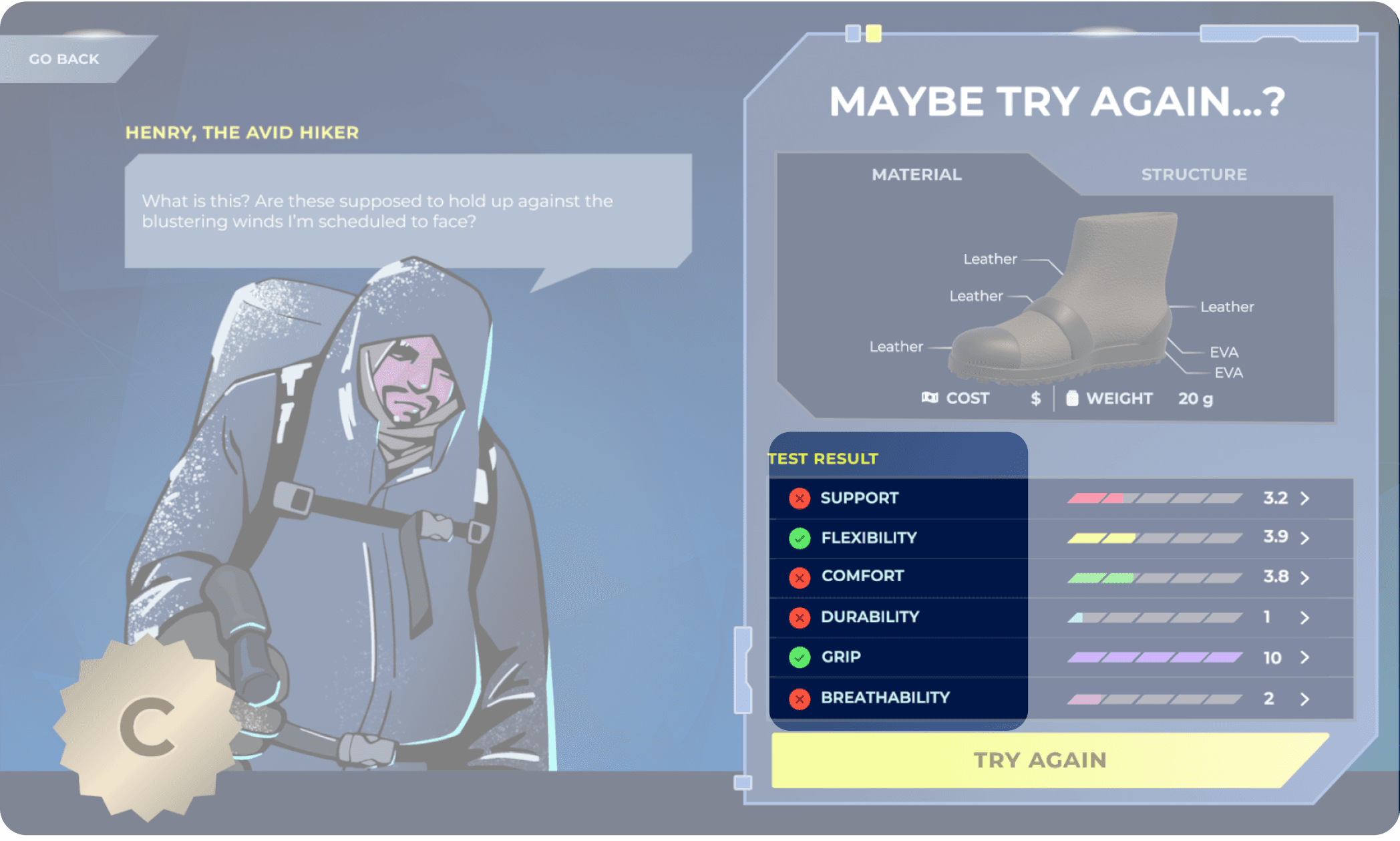
Simulation Results
Immediate, high-level feedback on performance goals
Hints for Iteration
Visual guides that bridge the gap between test failure and the next design choice
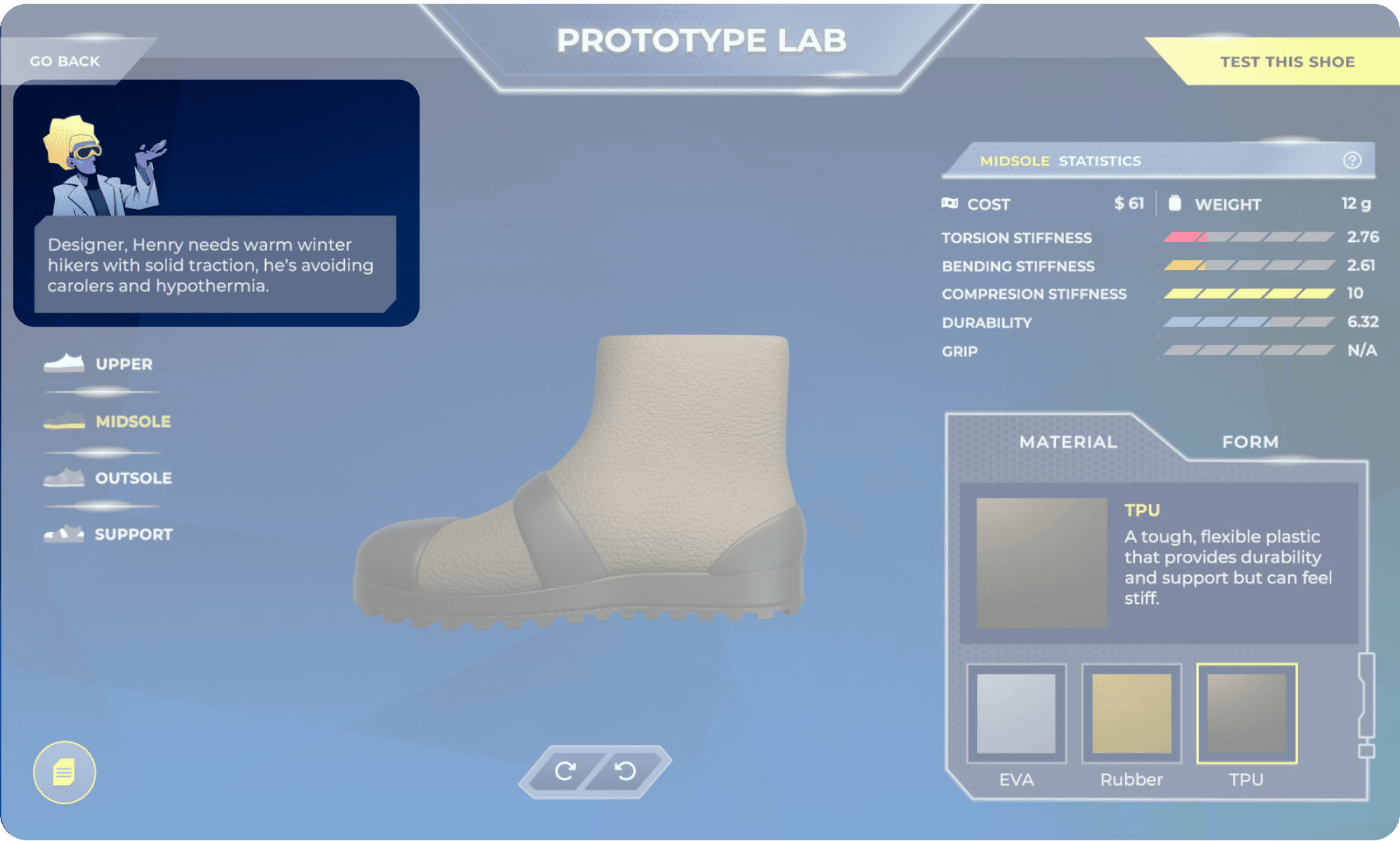
Dialogue Type Hints
Narrative-driven cues that provide contextual design advice
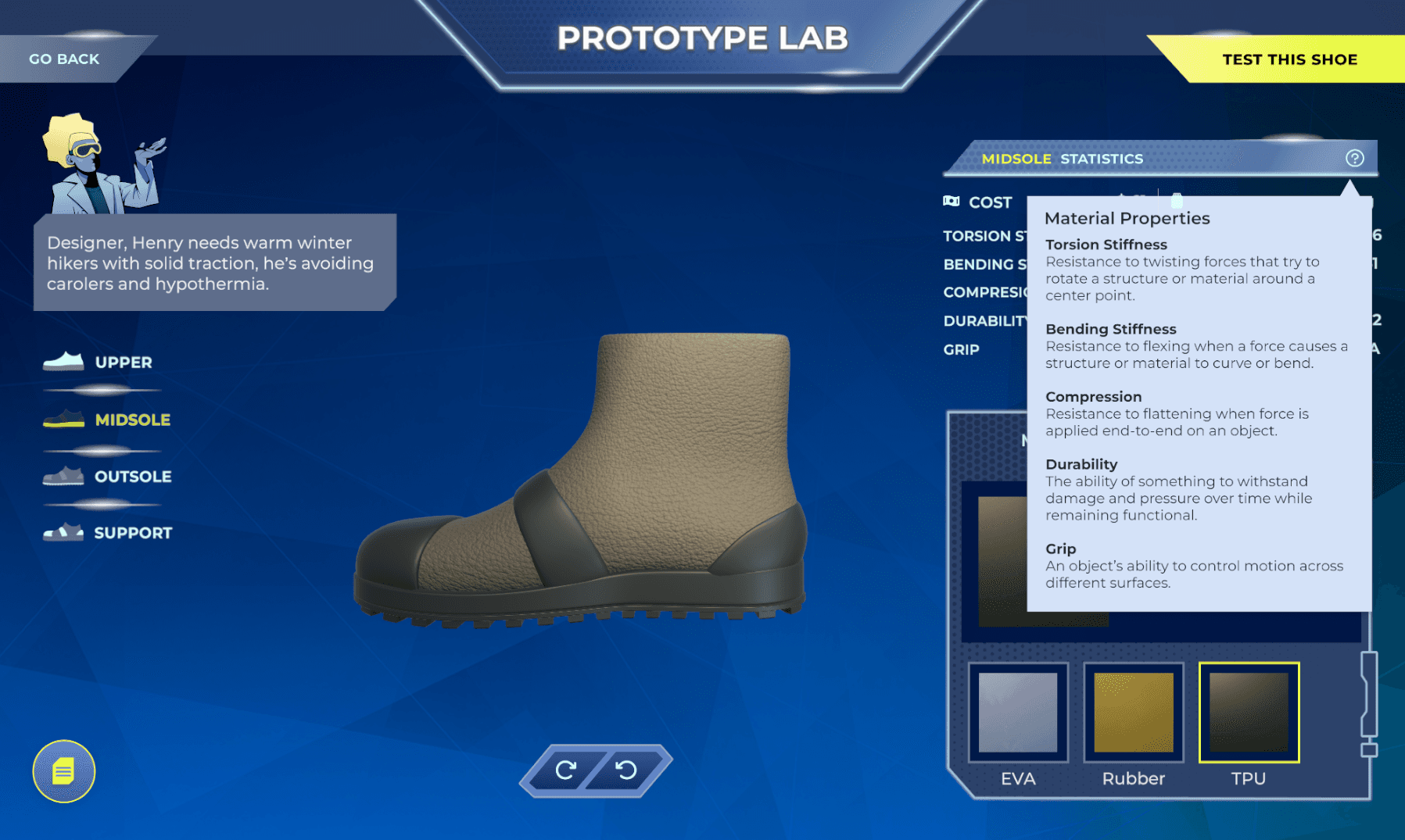
Tooltip Panel for Complex Terms
Persistent support for complex material science concepts
Instructional Measures Throughout the Game Flow
Design Decision 4
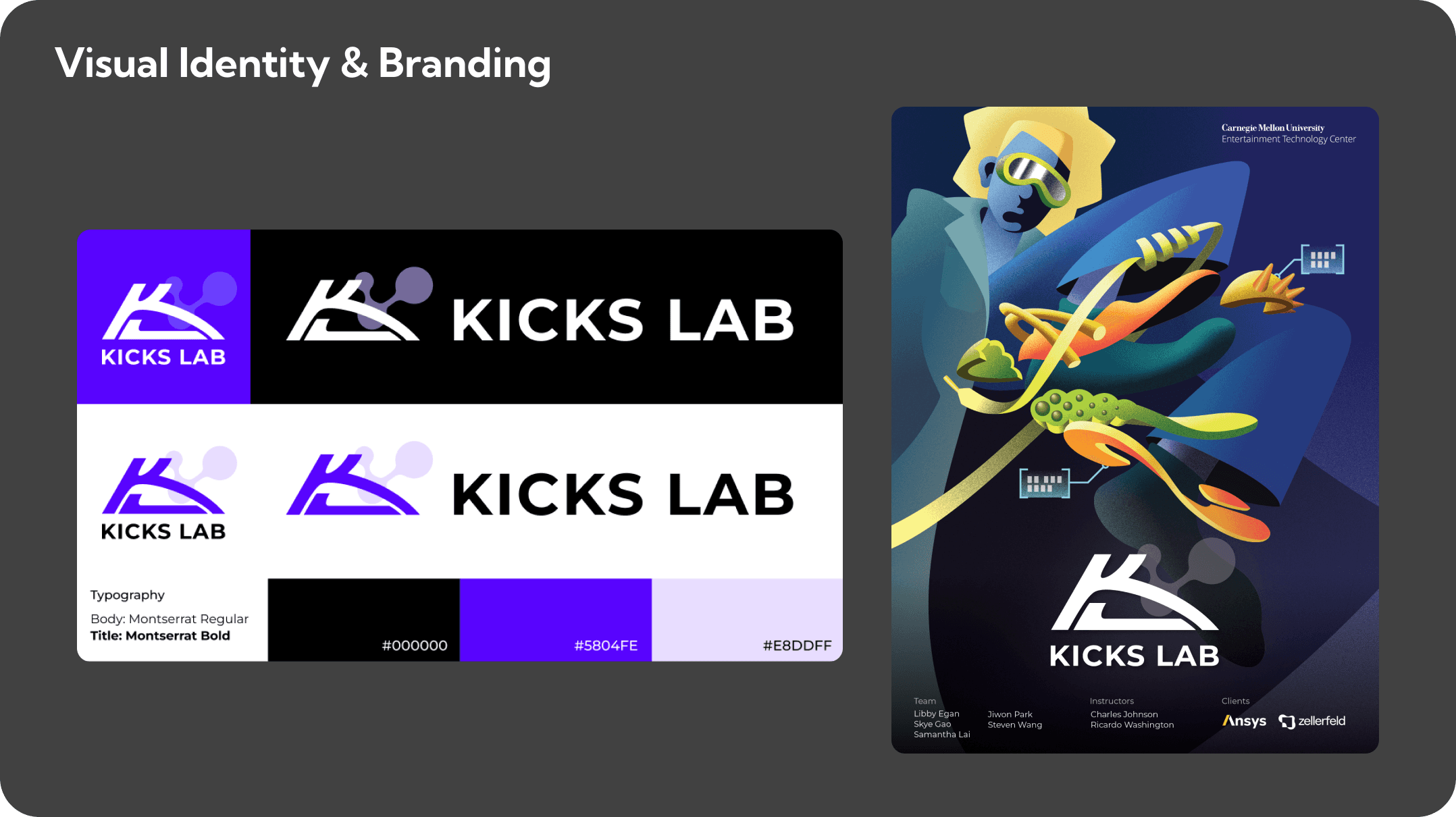
Visual Identity & Design System
Visual Identity
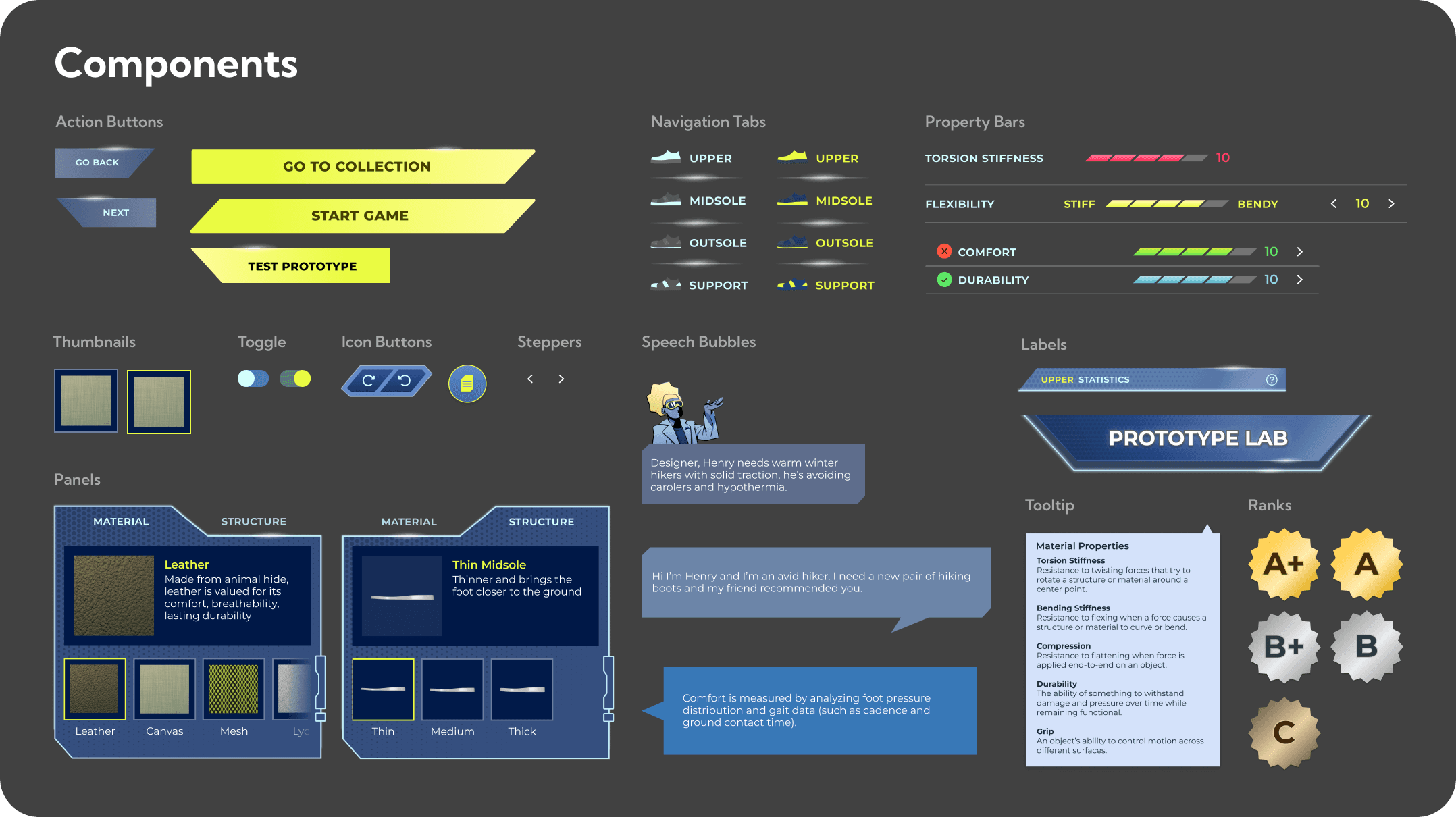
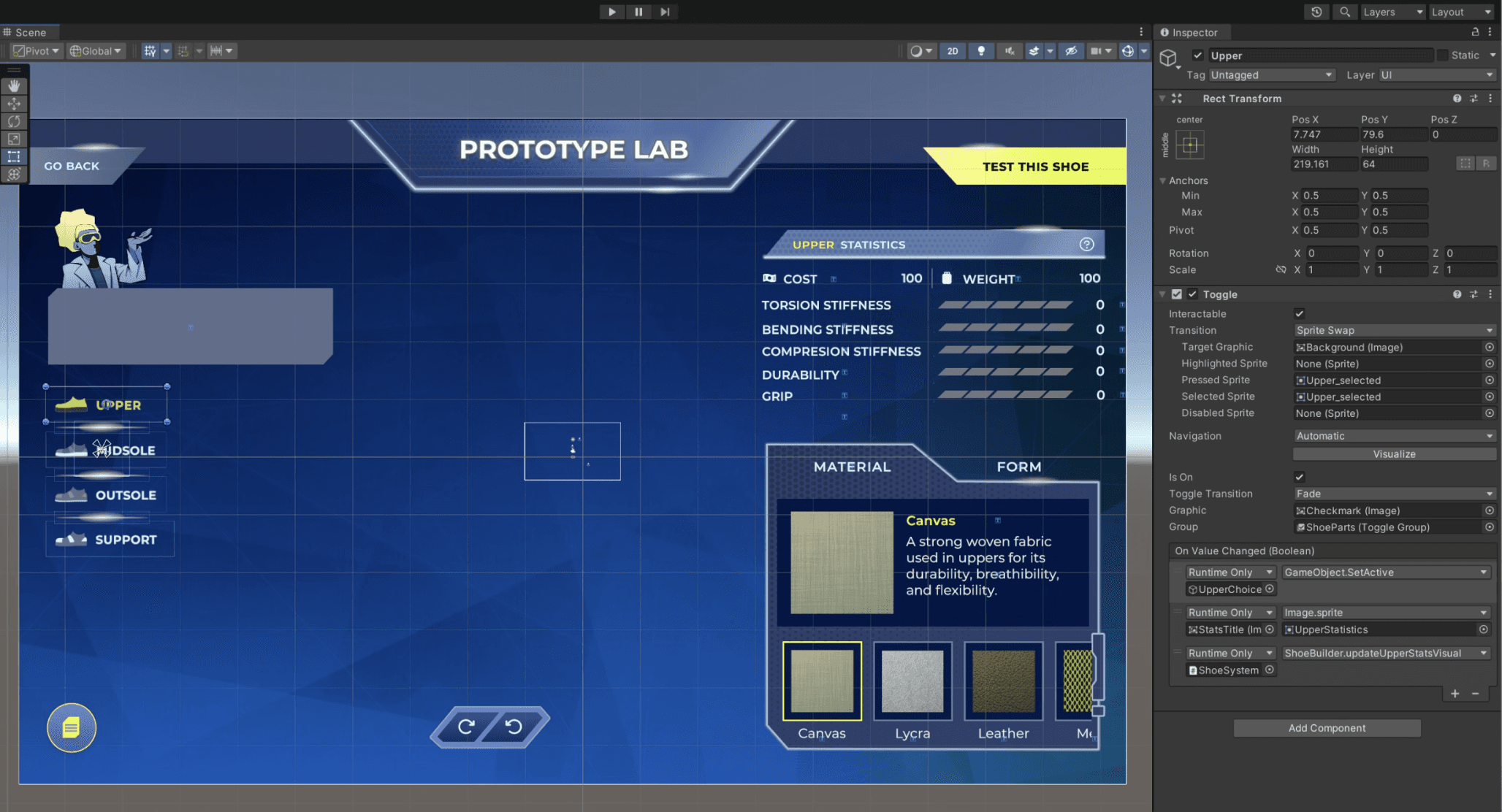
Implementing UI & Interaction States in Unity
Implementation
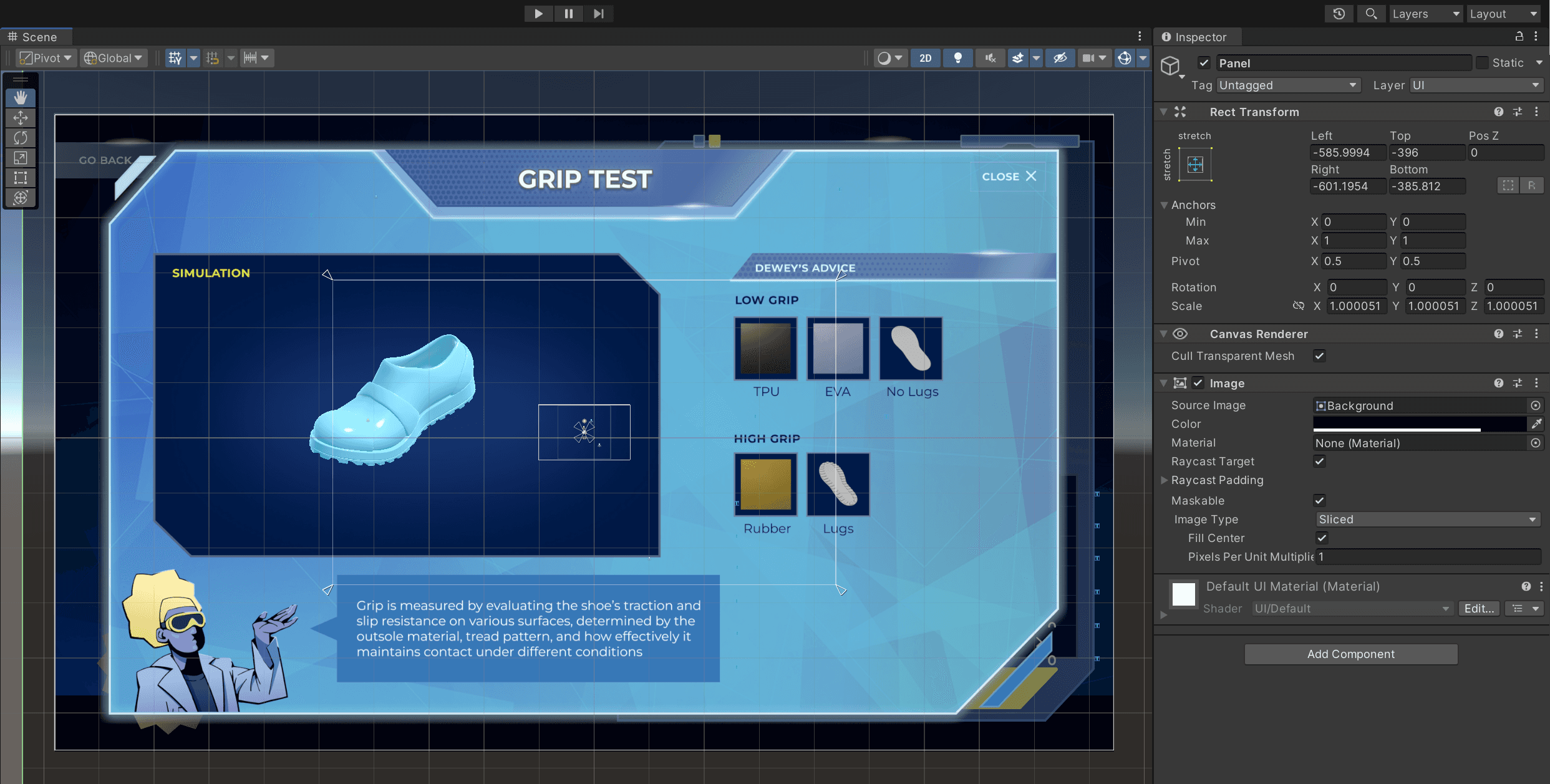
Deliverable
Gameplay Video